| What's New? |
| |
| XP Documentation-PCE |
| |
| The program is not usually listed in the Start- All Programs menu. The program file is eudcedit.exe and is in the system folder \Windows\System32\. To open the program, go to Start-Run and enter "eudcedit" (without quotes). |
| |
 |
| |
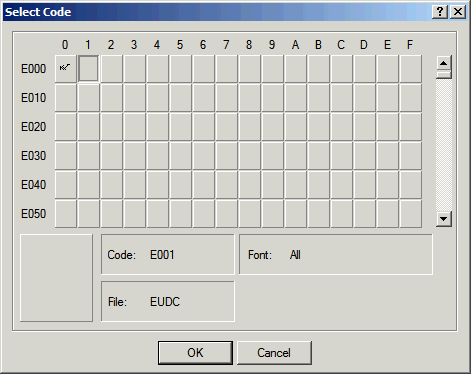
| The grid shows the hexadecimal code that will be assigned to your new character. In above picture, a character with code E000 has already been created in the first box and the second box, whose hex number would be E001, has been selected. |
| |
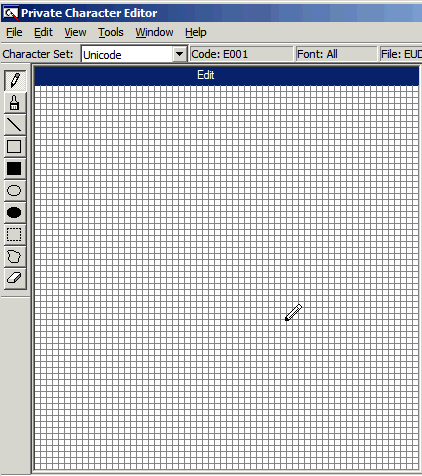
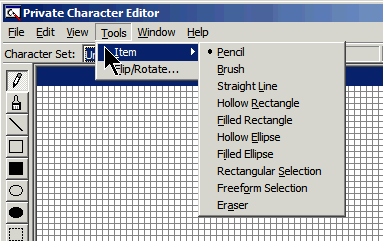
| The next step is to click "OK" and the palette window (Figure 2), where you can draw a new font, will open. There is a toolbar on the left with some basic tools. Shown in the figure is the "pencil" used for freehand drawing. In addition to the toolbar, there is a "Tools" menu. Figure 3 shows the menu with a list of the available tools |
| |
 |
| |
| |
| Note: The tools are similar to those in Paint and will be familiar to anyone who has used a graphics program. |
| |
 |
| |
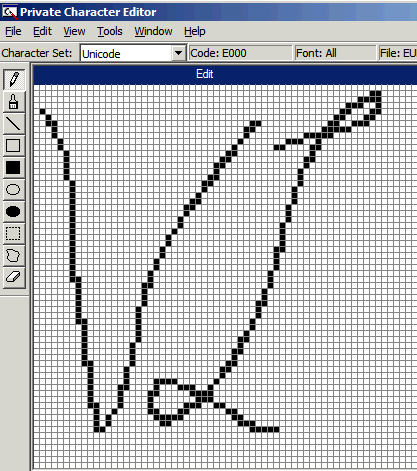
| Figure 4 shows my shaky effort at making a font of my initials to put into e-mail as a signature. Those with a steadier hand and better calligraphy will be able to do a much nicer job. Keep in mind that the actual size of the palette is 50 pixels square. When making a custom font, you have the choice of associating the new font with a particular font family or with all fonts. If you choose a particular font family, your custom font will be available from there only. After you have drawn and edited the figure to your satisfaction, save the font. Note that the "Save Character" operation is in the "Edit" menu. |
| |
 |
| |
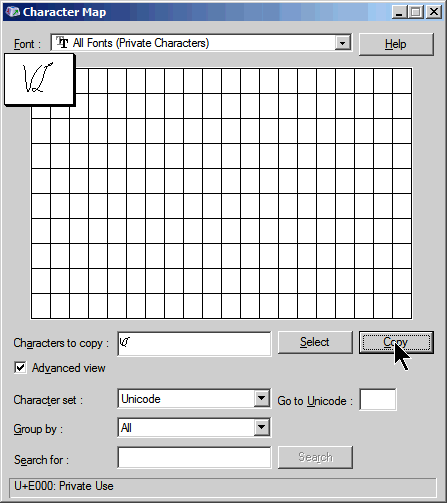
| The next step in actually using the custom font is to open the Character Map. The font will be listed as "All Fonts (Private Characters)" or under a particular font-private characters if you chose that option. Figure 5 shows the Character Map display. Select the custom font and click "Copy". That places it in the clipboard where it can be pasted into any document in the regular way. |
| |
 |
| |
| Figure 6 shows the custom font pasted into an e-mail in Outlook Express. One thing to remember is that the regular operations applicable to a font hold (size, bold, italic, and so forth). In the figure the custom font is 20 point while the text is 10. |
| |
| |
|
| |
| |


