| Screen Configuration |
| |
| Resolution And Colors |
| |
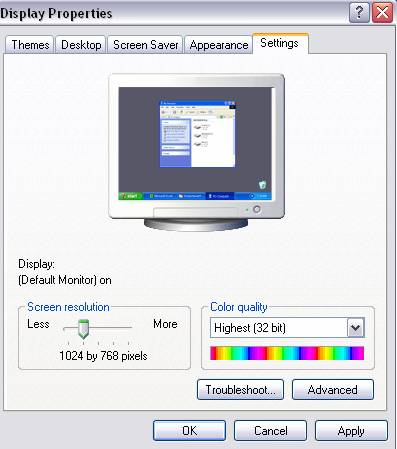
| We can choose the amount of Colors with which our monitor will work with. |
| |
 |
| |
| Depending on the monitor and the graphics card, you can choose the colors you like best. To choose the Color quality you want, open the Color quality list and pick the one you like. |
| |
| With the Screen resolution we can choose the resolution. |
| |
| The resolution affects the size of the images. Adjust the screen area bar and the size of the screen will change. You can see the preview above. |
Once you have chosen the resolution you like Click OK. |
| |
| |
|
| |
| |


