| Windoes AP Explorer |
| |
| Make New Folder |
| |
 |
| |
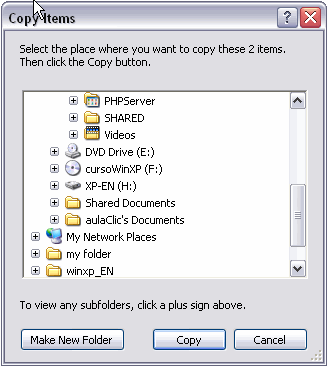
| Once the folder has been selected, click on Copy. |
| In the case of not having the folder created to which we want to copy to, click Make new folder, write the name of the new folder and Click OK. |
| |
| Moving Files or Folders |
| |
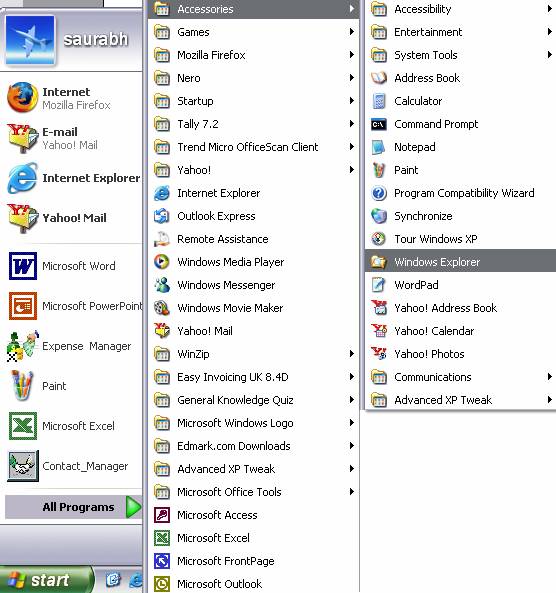
| 1. Click the Start button, located in the lower left corner of your screen. |
| |
| 2. Highlight programs. |
| |
| 3. Highlight Accessories. |
| |
| 4. Click Windows Explorer. |
| |
 |
| |
| The Explorer can also be started from the Start button by choosing My documents, My images or My music; the difference is that in these cases we will go directly to those folders. |
| |
| |
|
| |
| |


