| Review Your Word Document |
| |
| Thesaurus |
| |
| This feature of word 2007 suggests extra words with a similar meaning to the word you have selected. |
| |
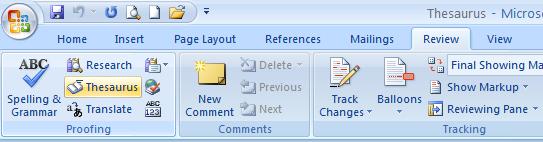
| Create a Thesaurus follow these steps: |
| |
| 1. On the Review tab of the ribbon, click Thesaurus. |
| |
| 2. Press ALT and click the word that you want to look up. Results appear in the Research task pane. |
| |
| 3. To search for more words or To use one of the words in the list of results, follow one of the following step: |
| |
o Point to it, to use one of the words, click the down arrow, and then click Insert or Copy.
o To look up extra related words, click a word in the list of results. |
| |
 |
| |
| For Animated presentation Click here |
| |
| |
|
| |


