 |
 |
 |
| Review Your Word Document | |||
| Auto Correct | |||
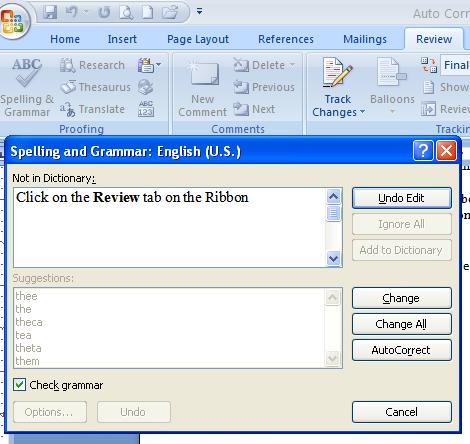
| Auto Correct option tells Word 2007 to insert the top-ranked word listed in the Suggestions panel. | |||
| For select the auto correct option follow these steps: | |||
| 1. Click on the Review tab on the Ribbon | |||
| 2. Click the Spelling & Grammar button | |||
| 3. Select Auto Correct. | |||
| 4. Click Close to exit the dialog box. | |||
|
|||
| Note: These options are also available when you use right click on a word. | |||
|
|||