| Drawing Tools |
| |
| Create Shadows and 3d effect |
| |
| Shadow Effect: |
| |
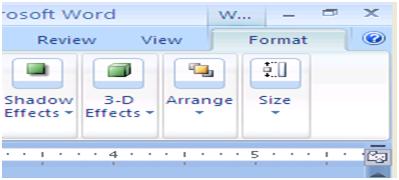
| You can Create Shadow effect in your document by follow these steps: |
| |
| 1. Select the Picture, AutoShape, WordArt, text box you want to change. |
| |
| 2. Click On the Drawing toolbar, click Shadow Style , and perform one of the following Steps: |
| |
| (i) Click the shadow style you want. |
| (ii) Click No Shadow to remove a shadow. |
| |
 |
| |
| 3D Effect: |
| |
| You can 3D effect in your document by follow these steps: |
| |
| 1. Select the drawing object. |
| |
| 2. On the Drawing toolbar, click 3-D Style . |
| |
| 3. Select the 3-D style that you want. |
| |
| |
|
| |


