 |
 |
 |
| Drawing Tools | |||
| Insert Text Boxes | |||
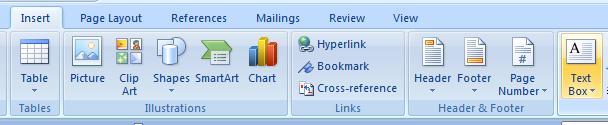
| You can insert a text box by follow these steps: | |||
| 1. Click the Insert tab on the Microsoft office-2007 Ribbon.. | |||
| 2. Click the Text button. | |||
| 3. Click Text Box and select a text box type. | |||
|
|||
| For Animated presentation Click here | |||
|
|||