| Drawing Tools |
| |
| Draw different Auto Shapes |
| |
| Create Auto Shape by following steps: |
| |
| 1. Click the Insert tab on the Microsoft office-2007 Ribbon.. |
| |
| 2. Click the Shapes button. |
| |
| 3. Click a shape in the Basic Shapes gallery. |
| |
| Stick a picture in your AutoShape |
| |
| Stick a picture in your AutoShape by following these steps: |
| |
| 1. Select the AutoShape |
| |
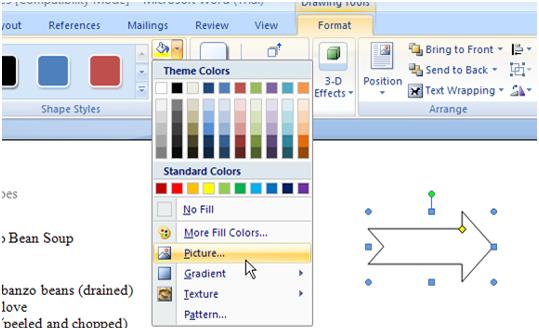
| 2. Choose Shape Fill from the Format tab's Shape Styles group, |
| |
| 3. Select Picture. |
| |
 |
| |
| 4. Use the Select Picture dialog box to track down and choose an image. |
| |
| Navigate through your folders as needed. |
| |
| 5. Click the Insert button. |
| |
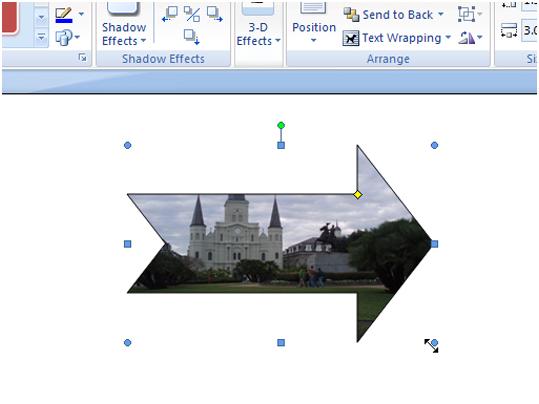
| The picture is positioned in the frame. If the picture is unclear, try resizing the AutoShape by clicking and dragging one of the handles around it. |
| |
 |
| |
| For Animated presentation Click here |
| |
|
| |


