 5. Use sizing handles to resize your line or shift an endpoint.
 |
 |
 |
| Drawing Tools | |||
| Draw Line & arrows | |||
| These are the following steps for Draw Line & Arrows: | |||
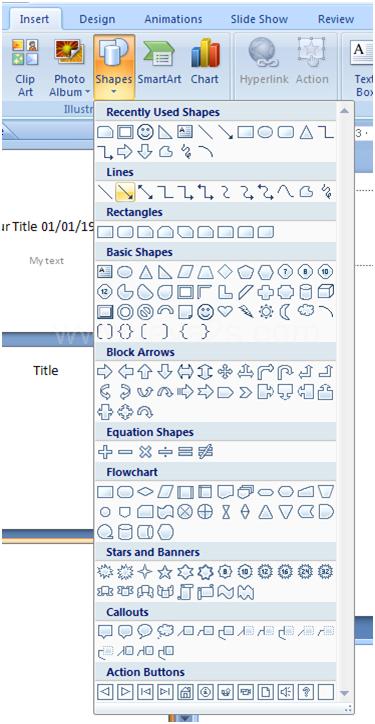
| 1. Click the Insert tab on the Microsoft office-2007 Ribbon. | |||
| 2. Click the Shapes button. | |||
| 3. Click a Line or Arrow shape in the Shapes gallery. | |||
|
|||
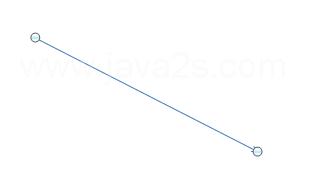
| 4. Drag the pointer to draw a line. Sizing handles show at both ends of the line | |||
|
|||
| 5. Use sizing handles to resize your line or shift an endpoint. |
|||
| For Animated presentation Click here | |||
|
|||