| Different Operation's on Document |
| |
| Saving a new Document |
| |
| If you wish to recall your document later, then you must save your documents. |
| |
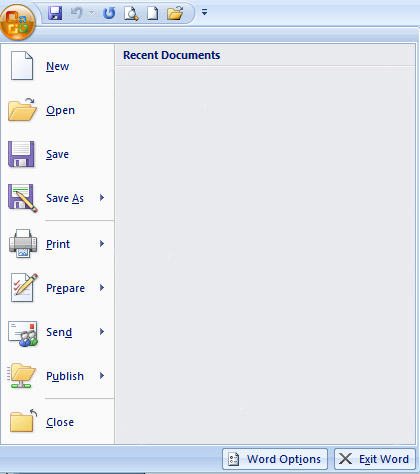
| You can use the Save option on the Microsoft Office menu, to save a document |
| |
| You can also save a document by typing "Ctrl+S". |
| |
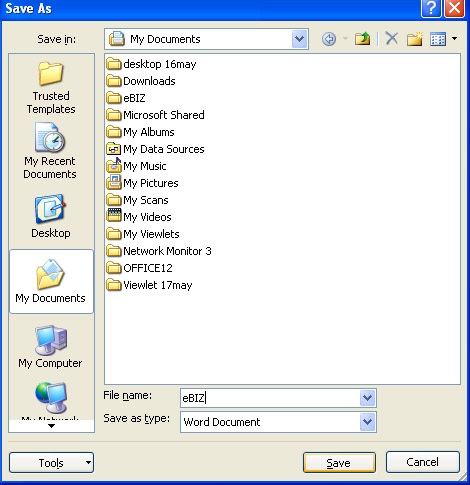
| When you save a document at first time, the "Save As" dialog box appears. Use the "Save As" dialog box to locate the folder in which you want to save your document and to give your document a name. After you have saved your document at least once, you can save any changes you make to your document simply by clicking the Save after you click the Microsoft Office button. |
| |
| The following Steps show you how to save the file you just created. |
| |
| 1. Click on the Microsoft Office button. A list of various option appears. |
| |
| 2. Click on Save. |
| if you are saving your document for the first time, the Save As dialog box appears |
| |
 |
| |
| 3. Give the right folder in the Save box. |
| |
| 4. In the File Name box give a name to your document by typing. |
| |
| 5. Click on Save button. |
| |
 |
| |
| Your previous version of document overwrite each time when you save your document.
|
| |
| For Animated presentation Click here |
| |
| |
|
| |


