| Slide Effect |
| |
| Animation Preview & Slide Show Options |
| |
| Animation Preview |
| |
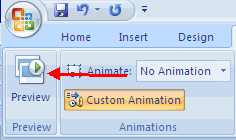
| To preview the animation on a slide: |
| |
| . Click the Preview button on the Animations tab |
| |
 |
| |
| Slide Show Options |
| |
| The Slide Show tab of the ribbon contains many options for the slide show. These options include: |
| |
.	Preview the slide show from the beginning
.	Preview the slide show from the current slide
. Set up Slide Show |
| |
 |
| |
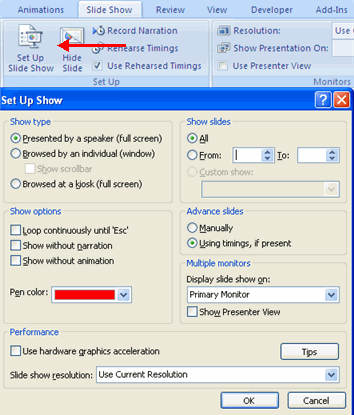
| Set Up Slide Show |
| |
| This option allows you to set preferences for how the slide show will be presented. The options include: |
| |
| . Whether the show will run automatically or will be presented by a speaker |
| |
.	The looping options
.	Narration options
.	Monitor resolutions
|
| |
 |
| |
| Record Narration |
| |
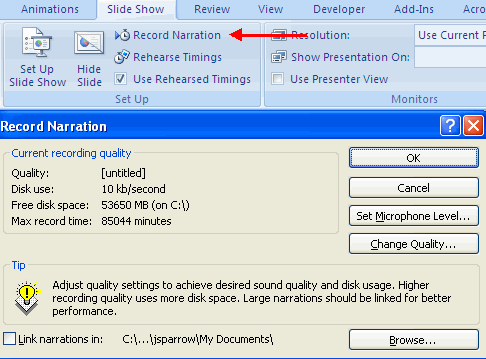
| When you want to record narration for the slides: |
| |
.	Click the Record Narration button
.	Click Set Microphone Level to check the levels of audio input
.	Click OK to record the narration
|
| |
 |
| |
| Rehearse Timings |
| |
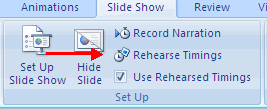
| Use Rehearsed Timings to rehearse the timings of slide with audio. |
| |
.	Click the Rehearse Timings button
.	Practice speaking and advance the slides as you would in the presentation
.	When you have completed this click through the end of the slide
.	Choose whether or not to keep this timing or to retry
|
| |
 |
| |
| For Animated presentation Click here |
| |
| |
|
| |
| |


