| Working With Graphics |
| |
| Inserting Picture & Clipart |
| |
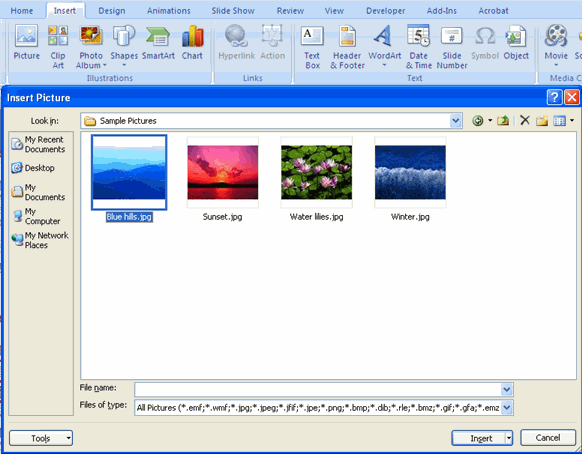
.	Click the Insert Tab
.	Click the Picture Button
.	Browse to the picture from your files
.	Click the name of the picture
.	Click insert
.	To move the graphic, click it and drag it to where you want it
|
| |
 |
| |
| For Animated presentation Click here |
| |
| Inserting Clip Art |
| |
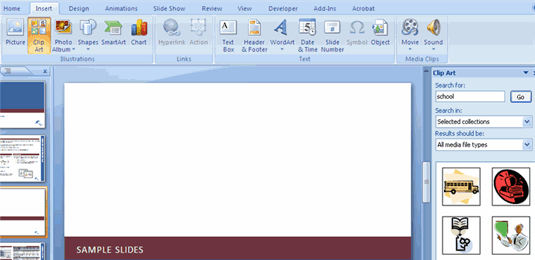
.	Click the Insert Tab
.	Click the Clip Art Button
.	Search for the clip art using the search Clip Art dialog box
.	Click the clip art
.	To move the graphic, click it and drag it to where you want it
|
| |
 |
| |
| |
| For Animated presentation Click here |
| |
| |
|
| |
| |


