| Slide Effect |
| |
| Slide Transitions |
| |
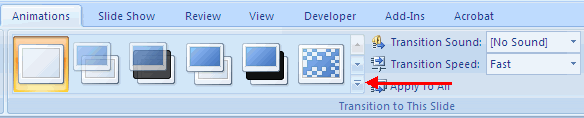
| Transitions are effects that are in place when you switch from one slide to the next. To insert slide transitions: |
| |
.	Select the slide that you want to transition
.	Click the Animations tab
.	Choose the appropriate animation or click the Transition dialog box
|
| |
 |
| |
| To adjust slide transitions: |
| |
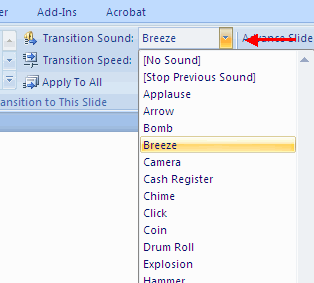
| . Insert sound by clicking the arrow next to Transition Sound |
| |
 |
| |
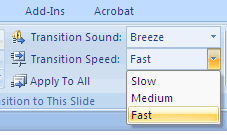
| . Modify the transition speed by clicking the arrow next to Transition Speed |
| |
 |
| |
| To apply the transition to all slides: |
| |
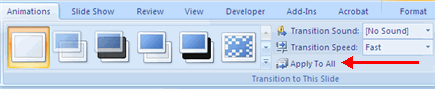
| . Click the Apply to All button on the Animations tab |
| |
 |
| |
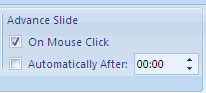
| To select how to advance a slide: |
| |
.	Choose to Advance on Mouse Click, or
.	Automatically after a set number of seconds
|
| |
 |
| |
| For Animated presentation Click here |
| |
| |
|
| |
| |


