 |
 |
 |
| Working with Slide | |||
| Paste a Slide | |||
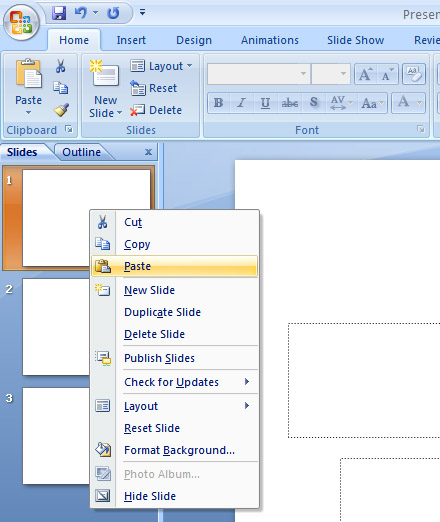
| For paste a slide in PowerPoint presentation follow these steps: | |||
| 1. Go to the pane that contains the Slides and Outline tabs. | |||
| 2. Click on Slides tab. | |||
| 3. Right-click on that slide where you want your copied slides to follow. | |||
| 4. Click Paste. | |||
|
|||
| For Animated presentation Click here | |||
|
|||