| Introduction to MS PowerPoint-2007? |
| |
| PowerPoint Help |
| |
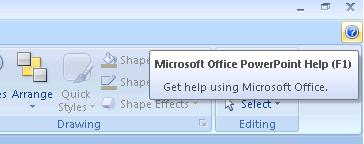
| The Simplest method to get help from Power Point 2007 is to press the F1 key or Click on help button. If you press F1 key while you're performing some doubtful task deep inside some strange dialog box or task pane, Power Point summons help for that specific issue, telling you how to do what you want to do. |
| |
| Press F1 any time you have a question, and help arrives. |
|
| |
 |
| |
| In the Search box in the upper-left corner of the Help window, type a topic, command name, or question. Or you can browse the table of contents directly below the Search field. |
|
| |
| If you have used earlier versions of Power Point, note that there's no more Office Assistant in Power Point 2007. You can express grief or rejoice as appropriate. |
| |
| Keep in mind that Power Point's help works best when you have an Internet connection, especially a high-speed, or broadband, connection. |
| |
| For Animated presentation (With Voice)Click here |
| |
| |
|
| |


