Working with File System & I/O
 
Creating, Copying, moving and Deleting File
 
Writing data to a File
 
The fwrite() function outputs the contents of a string variable to the specified resource.
 
fwrite syntax:
 
int fwrite(resource handle, string string [, int length]) If the optional length parameter is provided, fwrite() will stop writing when length characters have been written. Otherwise, writing will stop when the end of the string is found.
 
Consider this example:
 
   <?php
         // Data we'd like to write to the info.txt file
         $data = "Sanjay Sing|sanjay.kumar@ebizelindia.com";
         // Open info.txt for writing
         $my_file = fopen("/home/www/data/info.txt", "at");
         // Write the data
         fwrite($my_file, $data);
         // Close the handle
         fclose($my_file);
    ?<
 
Output: Try it yourself
 
Moving, Copying and Deleting Files with PHP
 
Files can be copied using the copy() function, renamed using the rename() function and deleted using the unlink() function.
 
Copying and Deleting Files
 
To copy a file, the copy() function is used.
 
bool copy(string source_file,string destination_file)
 
The copy() function will return true if the file was correctly copied, or false if there was an error.
 
<?php
class File_Options{
private $file1;
private $file2;
Private $msg;
	function __construct(){
	$this-<msg=NULL;
	}
	public function doCopy($file, $copyto){
		if (!(copy($file,$copyto))) {
		return $msg;
		}
		else {
		return "<b<File $file successfully copied to $copyto</b<";
		}
	}
	public function doDel($file){
	}
	public function doRen($oldName,$newName){
	}
}
?<
<HTML<
<HEAD<
<TITLE< PHP Tutorial: Working with Files </TITLE<
<META NAME="Generator" CONTENT="jNote-iT"<
</HEAD<

<BODY<
<?php
	$file_opt=new File_Options();
	$msg=$file_opt-<doCopy("test.txt","test1.txt");
	if (!$msg){
		echo "<b<Unable to Copy File to the specified location</b<";
	}
	else
		echo $msg;
?<
</BODY<
</HTML<
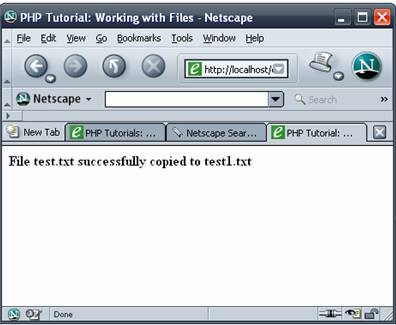
 
Assuming that you have a file named test.txt, a successful run of this script should copy the file test1.txt from its current location to your specified location.
 
img
 
The rename() function is very similar in context to the copy() function:
 
Syntax:

bool rename(string old_file,string new_file)
 
Considering the name of the functions so far, it may come as a surprise that the function to delete is called unlink():
 
Syntax:
bool unlink(string filename)
 
Both the rename() and unlink() functions return true upon successful completion, or false if the operation did not complete successfully.
 
Assignment:

1. In the above script, there are two dummy functions, implement delete and rename operations using the function.

2. In the above function, use validation so that the file user is trying to operate is operated only if it exists.

3. Write a PHP script to display contents of a file to user.