| Working with File System & I/O |
| |
| Working with Files |
| |
| Manipulating files is a basic necessity for serious programmers and PHP gives you a great deal of tools for creating, uploading, and editing files.
When you are manipulating files you must be very careful because you can do a lot of damage if you do something wrong. Common errors include editing the wrong file, filling a hard-drive with garbage data, and accidentally deleting a file's contents. |
| |
| It is our hope that you will be able to avoid these and other slipups after reading this section. However, we know that there are so many places where code can take a wrong turn, so we urge you to take extra care when dealing with files in PHP. |
| |
| Opening and closing File |
| |
| Opening a file |
| |
| to open a file in PHP function fopen is used. fopen takes accepts to parameter |
| |
1. name of the file
2. file opening mode (such as read-only, read-write, etc) |
| |
| Syntax to open a file: |
| |
| $my_file=fopen("file name", "mode constant"); |
| |
| Closing a file |
| |
| function fclose is used to close a file in PHP. fclose takes accepts to parameter |
| |
| syntax to close a file: |
| |
| fclose(file_pointer); |
| |
| File Opening mode |
| |
| The following table lists the various file open attributes together with a brief description of each: |
| |
| Mode |
Description |
| r |
Read only access. Pointer is positioned at start of file. |
| r+ |
Read and write access. Pointer is positioned at start of file. |
| w |
Write only access. Pointer is positioned at start of file. File is created if it does not already exist. |
| w+ |
Read and write access. Pointer is positioned at start of file. File is created if it does not already exist. |
| a |
Write only access. Pointer is positioned at end of file. File is created if it does not already exist. |
| a+ |
Read and write access. Pointer is positioned at end of file. File is created if it does not already exist. |
| x |
Create and open for write only. Pointer is positioned at start of file. Return false if file already exists. |
| x+ |
Create and open for read and write. Pointer is positioned at start of file. Return false if file already exists. |
|
| |
| |
| If you wanted to write a new file, or overwrite an existing file, then you would want to open the file with the "w" option. This would wipe clean all existing data within the file.
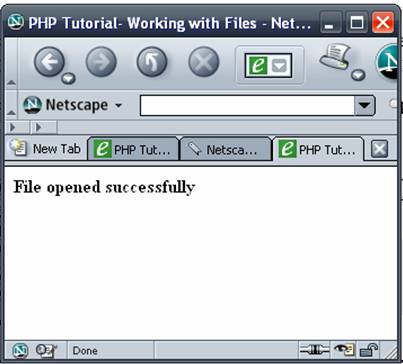
If you wanted to add the latest order to your "employees.txt" file, then you would want to open it to append the data on to the end. This would be the "a" option.save the above script as fileopen.php and open the script in browser to view the output. |
| |
<html>
<head><title>PHP Tutorial- Working with Files</title>
</head>
<body>
<?php
$my_file = fopen("test.txt","r")or die();
echo "<b>File opened successfully</b>";
fclose($my_file);
?>
</body>
</html>
|
| |
 |
| |
| Note: this example assumes that you have a file named test.txt in the directory you have stored the PHP script otherwise you will get an error message. |
| |
| Reading content of a file |
| |
| In PHP you have multiple functions to read content of a file |
| |
| Syntax of fread : |
| |
| string fread ( resource handle, int length )
fread() reads up to length bytes from the file pointer referenced by handle. |
| |
| Syntax of readfile : |
| |
| int readfile ( string filename [, bool use_include_path [, resource context]] )
Reads a file and writes it to the output buffer.
Reading file content with fread function: |
| |
<html>
<head><title>PHP Tutorial- Working with Files</title>
</head>
<body>
<?php
	$file_2_open="test.txt";
	$my_file= @fopen($file_2_open,"r+") or d
ie("Unable to open file : $file_2_open.");
	$data= @fread($myfile,1024);
	echo "Content of the file $file_2_open :<br/>".$data;
	while(!feof($my_file))
	{
  		echo fgets($my_file). "<br />";
  	}

?>


</body>
</html>
|
| |
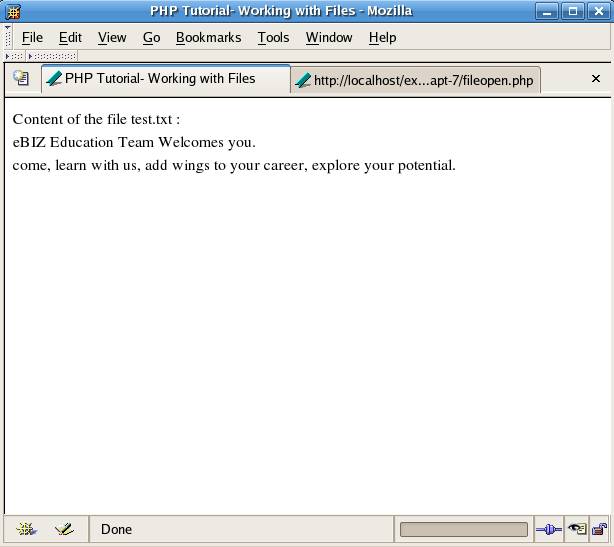
| The above example should generate the following output: |
| |
|
| It is also possible to read and output the contents of an entire file with the readfile() function. This function reads the entire contents of a file and outputs that content. Assuming you don't need to do anything but output the contents of a file then 'readfile() is an easy solution because it does all the work for you. You do not need to open the file, read the data, close the file and display the data. All you need to do is call readfile() passing in the file path as an argument and it does the rest. |
| |
| PHP file Functions |
| |
| There are several different ways of reading a file, but before you try to read a file, you have to make sure the file exists first. To do this, PHP comes with an inbuilt function called is_readable(), which checks if the file exists and if it's readable by your script. It's possible that your script can't read the file due to permissions, even though the file does exist. |
| |
| Syntax: |
| |
| bool is_readable ( string filename )
Returns TRUE if the filename exists and is readable. |
| |
| It's used like this: |
| |
<?php

$file = '/home/user/PHP/examples/test.txt';
//on windows replace the path with your file path

if (is_readable($file) == false) {
        die(' doesn\'t exist or File is not readable');
} else {
        echo 'File <b>'.$file.'</b> exists';
}

?>
|
| |
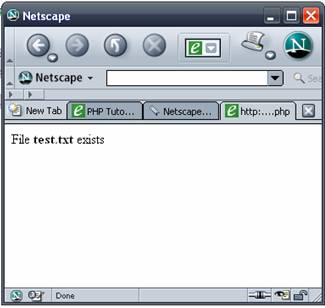
| Output: |
| |
 |
| |
| After you've made sure that the file is readable, you can now read the file data. The easiest way to do this is with the file_get_contents() function, which requires only one argument - the file path - and immediately returns all the file data. |
| |
| Syntax: |
| |
| string file_get_contents ( string filename [, int use_include_path [, resource context]] ) |
| |
| It's used like so: |
| |
<?php
$file = '/home/user/PHP/examples/phpinfo.php';
//on windows replace the path with your file path

if (file_exists($file) == false) {
        die('File $file doesn\'t exist!');
}

// Read file
$data = file_get_contents($file);
echo htmlentities($data);

?>
|
| |
| The only downside with file_get_contents() is that it's only supported by PHP 4.3 and later. This means you will probably have to account for versions lower than that, which means you can't use the file_get_contents() function. The next best way is to then use the file() function, which is supported by PHP 3 and up, and is almost identical to the file_get_contents function. The only difference is that the file function returns the file data in an array, with each line as a separate item. |
| |
| If you just want the data as a string (like the file_get_contents function), you have to use the following code: |
| |
<?php
// Read file
$data = implode('', file($file));
?> |
| |
| This method is probably the best way to read a file, and it's supported by any modern PHP version. But there is yet another way to do it, by manually opening the file, and then reading in the data. |
| |
| To open a file, you have to use the fopen() function, which opens a file, and returns a file resource, which can then be used with the fread() function. When opening a file, you must specify a mode in which to open the file. If all you want to do is read the file, you need to specify the 'r' mode, like in the example below: |
| |
<?php
// Read file
$f = fopen($file, 'r');
$data = fread($f, filesize($file));
fclose($f);
?>
|
| |
| As you can see in the above example, the fread function also needs to know how much data you want to read, which you must specify as the second argument. Since we want to read the whole file, the filesize() function is used, which returns the length of the file. When you're done with the file, you must close it with the fclose() function. |
| |
| |
|
| |
| |


