2. Kopete
3. AYTTM
4. AOL's Linux AIM
5. Yahoo! Messenger for Linux
6. Kinkatta's
7. TiK 8. LICQ
9. Tkabber
 |
 |
 |
| Internet Tools | |||
| IM Clients | |||
| Like other application softwares, Linux also have some good IM(Instant Messaging/Chatting) clients and some of these clients allow you to connect to multiple IM services at once, now, that is the added advantage for the user. Some of these clients are bundled with various Linux distribution and others are available for download. | |||
| Some the most popular for Linux are listed below: | |||
| 1. Gaim (now known as Pidgin)[bundled with GNU Gnome DE]
2. Kopete 3. AYTTM 4. AOL's Linux AIM 5. Yahoo! Messenger for Linux 6. Kinkatta's 7. TiK 8. LICQ 9. Tkabber |
|||
| There are others too.. but we will only guide you with the most popular IM client for Linux, Gaim. Since Yahoo! Messenger for Linux and AOL's Linux AIM are similar to there Windows peers , so there discussion has not been included and including each and every client is beyond the scope of this tutorial. | |||
| Gaim(Jacks-of-all-protocols) | |||
| Gaim is a multi-platform instant messaging client that supports many commonly used instant messaging protocols. Pidgin is free software available under the GNU General Public License. The undisputed king of Linux instant messaging clients is gaim. | |||
| While the app originally supported only AIM's TOC protocol, it ultimately evolved into supporting OSCAR, as well as a staggering multitude of other protocols. Similar to Windows offerings like Trillian, gaim also supports Yahoo!, MSN Messenger and ICQ. | |||
| But it doesn't stop there: gaim also supports Jabber, Gadu-Gadu, Zephyr, and the Napster IM protocols. And like Trillian, it can handle multiple simultaneous accounts on the services. | |||
|
|||
| The interface is clean and borrows the familiar icons from each service to demarcate the original networks of each contacts. Additional improvements over the networks' clients include logging and client-side Buddy List hosting. | |||
| Using Gaim to connect Yahoo! and MSN | |||
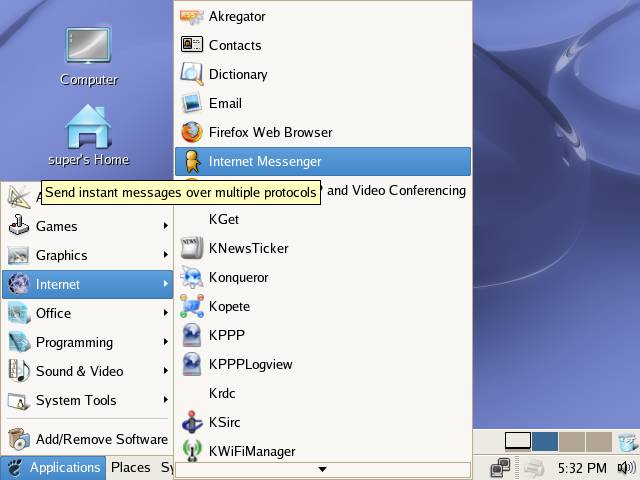
| Start the Gaim from Applications--> Internet --> Internet Messenger or execute gaim command from shell. | |||
|
|||
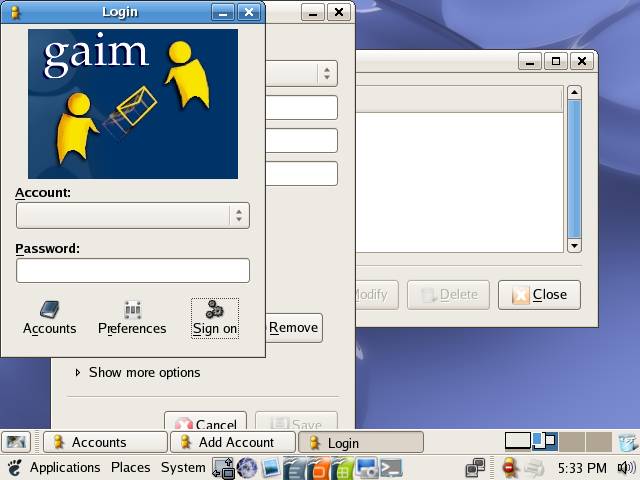
| From the Gaim login window Accounts button to add or Modify an account, or select an account from Account list box enter accounts password and click on Sign on to login into this account. | |||
|
|
|||
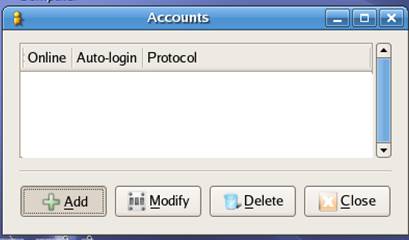
| From the Accounts dialog box click on Add button to add an account or select the account and click on Modify button to edit an existing account. | |||
|
|||
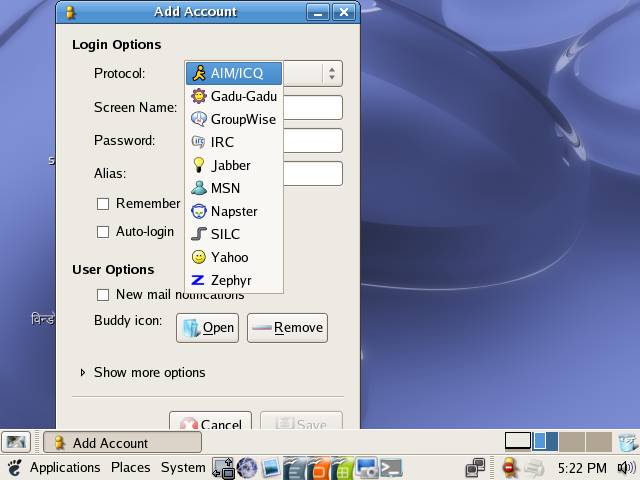
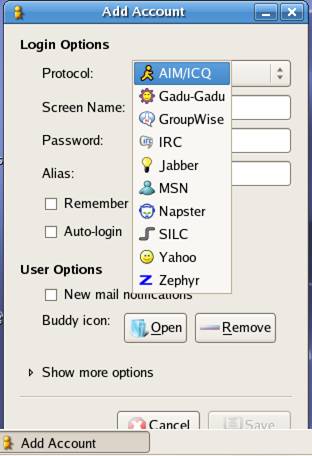
| Displayed below is Gaim Add Account dialog box. | |||
| Now, from the Protocol list box, select the IM service you want to connect, for this demonstration we are going to use Yahoo!. You can use any protocol of your choice. | |||
|
|||
| Enter the account details and click on Save to add the account | |||
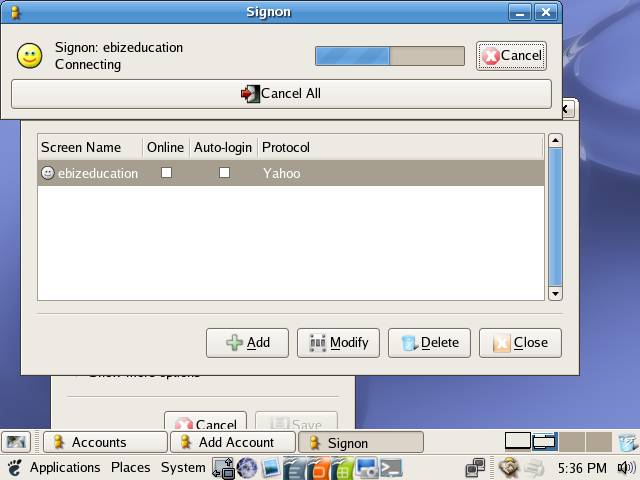
| now, from the Accounts dialog box check on the Online check box to login to the account, you can also use the Gaim login dialog to do so. | |||
|
|||
| Gaim is now logging in to the Yahoo!. | |||
|
|||
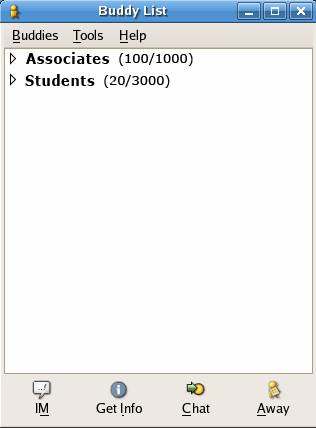
| After Sign in is successful you can view your buddies list, send them IMs and do a lot of other stuffs too. To send IM to a user, select the user from the buddies list, you want to send IM and click on IM button. | |||
| AYTTM | |||
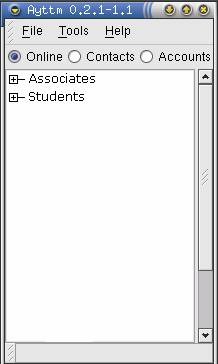
| AYTTM supports AIM TOC, ICQ, Yahoo!, IRC, MSN, and Jabber, and is intended to be able to support any new protocols that come along. (Nevertheless, the developers concede that support for AIM's more robust OSCAR protocol is unlikely to come anytime soon, since they simply don't use it enough to warrant devoting significant time to it.) | |||
| Support for the protocols it does currently offer isn't uniform, however. Group chat is supported with AIM, MSN, Yahoo! and Jabber, while file transfer is implemented fully with Yahoo! and MSN users, but AYTTM users cannot send files to AIM users. | |||
| Still, AYTTM has a lot going in its favor. Unlike most multi-protocol clients, AYTTM attempts to merge Buddies and contacts from each system into groups sharing members from each network. | |||
|
|||
| Yahoo! Messenger for Linux | |||
| Yahoo! has done far better with its own instant messaging client for Linux. Indeed, the company's Yahoo! Messenger for Linux has, in its latest version, been made to actually resemble its more popular Windows version. It also now supports the ability to enter contact information and nicknames for Yahoo! users on other OSes. | |||
| Yahoo! Messenger for Linux also now supports the same sorts of content panels that the Windows version offers, with tabs for Finance, News, Sports, Weather, and so on. Typing notifications and overall speed and stability improvements round out the package. | |||
|
|||
|
|||