| Internet Tools |
| |
| Web Browsers |
| |
| The following is a selection of Linux-based Web browsers. |
| |
| Amaya |
| |
| Amaya is a Web browser as well as a Web editor, which creates and updates documents directly on the Web. Its browsing, editing and remote access features are seamlessly integrated in a uniform environment. Amaya is W3C's test bed cross-platform editor/browser. Platform: Independent. |
| |
| Epiphany |
| |
| As its name (meaning "an intuitive grasp of reality through something simple and striking") indicates, Epiphany, though based on the Mozilla rendering engine, aims to utilize a much simpler and less bloated interface. It also has standards compliance and GNOME integration. Platform: Linux / Unix. |
| |
| Galeon |
| |
| Galeon is a GNOME web browser based on gecko (mozilla rendering engine). It's fast, it has a light interface and it is full standards compliant. It requires current Mozilla sources to build. Platform: Linux / Unix. |
| |
| HotJava (Free for non-commercial use) |
| |
| The HotJava Browser provides a highly-customizable modular solution for creating and deploying Web-enabled applications across a wide array of environments and devices. Using HotJava on Solaris for SPARC and JavaStation is officially supported by Sun. But you can also download an unsupported version of HotJava of Linux. |
| |
| Konqueror |
| |
| Konqueror is a full-featured Web browser, supporting Java applets, JavaScript, CSS1 and (partially) CSS2, as well as Netscape plugins. It is also the file manager for the K Desktop Environment. It supports basic file management on local Unix filesystems, as well as remote and local network file browsing. |
| |
| Lynx |
| |
| Lynx is a text based web browser. Platform: Linux / Unix. |
| |
| Mozilla Firefox |
| |
| Mozilla is an open-source web browser, designed for standards-compliance, performance and portability. Platform: Linux / Unix, MacOS X, Windows. |
| |
| Netscape Navigator |
| |
| The latest version of Netscape is certified and supported on Red Hat Linux. But you can find a version of Netscape for other distributions of Linux, too. |
| |
| WebCon |
| |
| WebCon is a simple Web console tool that allows you to perform any HTTP operations automatically, like posting data, saving data, deleting documents, etc. Platform: Linux / Unix. |
| |
| Opera for Linux |
| |
| For those of you who love Opera as your PC browser, here is an informative Web site with articles and illustrated guides for using Opera on Linux. |
| |
| Using Konqueror |
| |
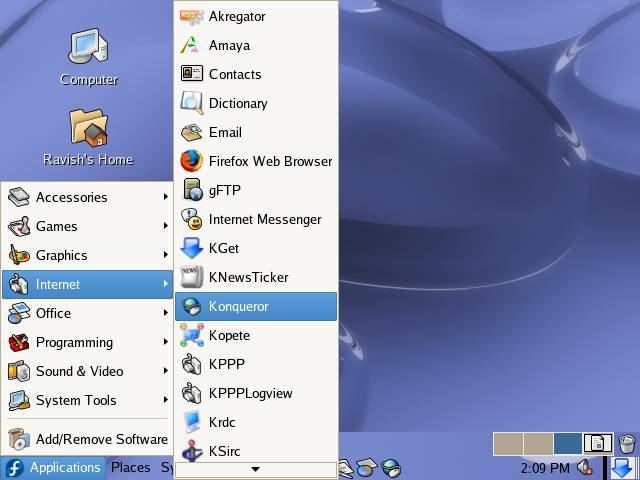
| To start Konqueror web browser click on Appications-->Internet and select Konqueror from the Internet sub-menu: |
| |
|
| |
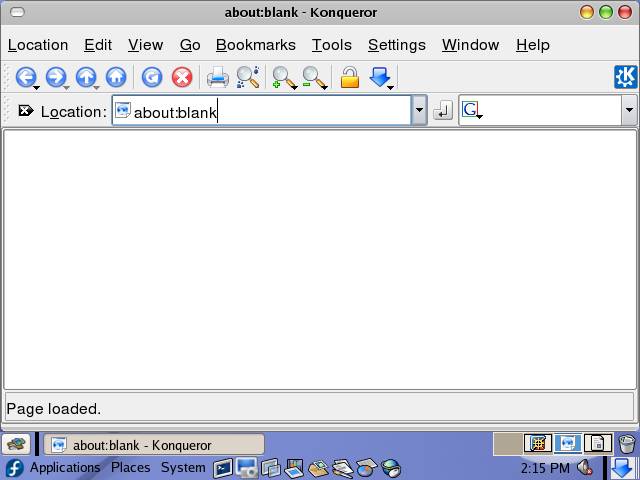
| or type konqueror at the prompt and press Enter. |
| |
|
| |
| Konqueror uses a very capable HTML rendering engine called KHTML. This engine is implemented as a KPart and as such, it can be easily used by other KDE programs. KHTML is also used by the Apple browser Safari. Konqueror has been developed as an autonomous web browser project. It normally uses KHTML as its layout engine, which is compliant with HTML, supports JavaScript, Java applets, Cascading Style Sheets, SSL, and other relevant open standards. |
| |
| Accessing Internet with Konqueror |
| |
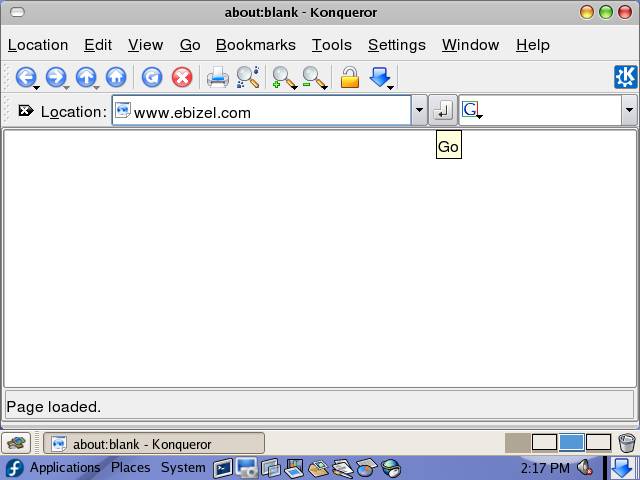
| To surf the Internet with Konqueror type the url of the web page in the Location box and press Enter: |
| |
|
| |
|
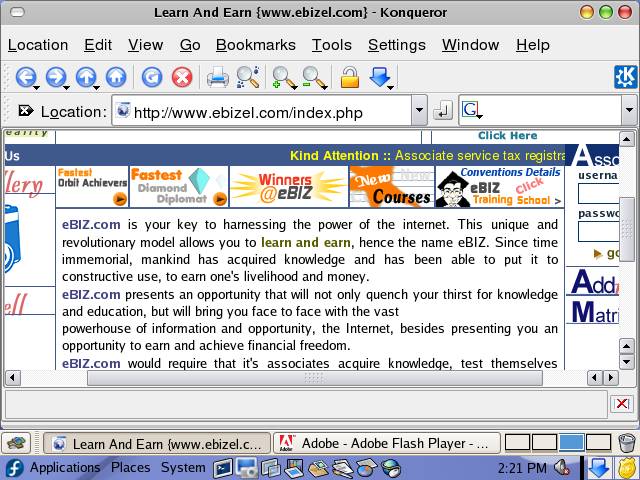
| Konqueror showing eBIZ.com home page[http://www.ebizel.com] |
| |
| Using Firefox |
| |
| Mozilla Firefox is a graphical web browser developed by the Mozilla Corporation, and a large community of external contributors. Firefox, officially abbreviated as Fx or fx and popularly abbreviated FF,started as a fork of the Navigator browser component of the Mozilla Application Suite. |
| |
| Firefox has replaced the Mozilla Suite as the flagship product of the Mozilla project, under the direction of the Mozilla Foundation. |
| |
| In my personal opinion, Firefox is one of the most secure, reliable and fastest web browser available for any platform. Even if you are using Windows I'll suggest you switch to use Firefox instead of MS IE, because it is much faster and secure than IE. |
| |
| Starting Firefox |
| |
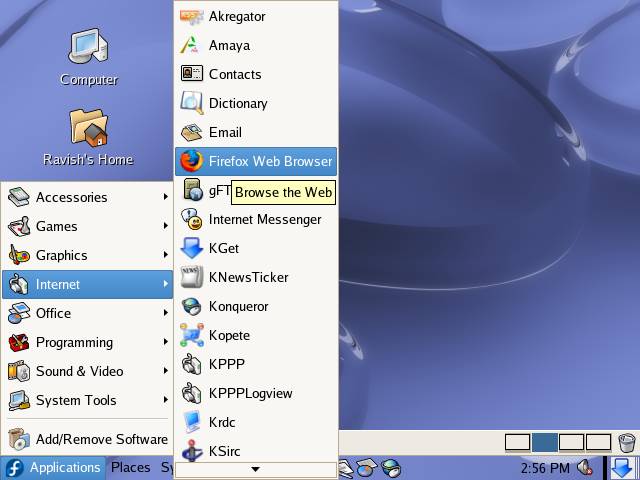
| Click Applications --> Internet -->Firefox Web Browser |
| |
|
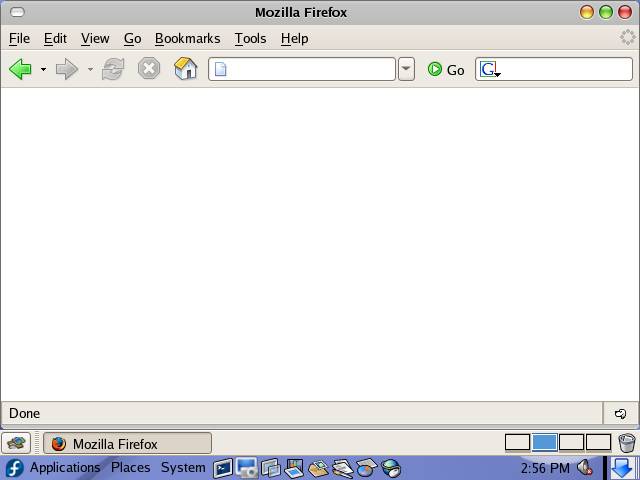
| Or type firefox on the prompt and press Enter. |
| |
|
| |
| Main advantage of using Firefox is its availability across the platforms and similar look and performance across the platforms, so if you have used Firefox on Windows, then you already know how to use it. |
| |
| Just type the address in the address bar and click on Go button/press enter, to start browsing. |
| |
| |
| |
| |
| |


