| Linux Office Applications (openoffice.org) |
| |
| Spreadsheets and Presentation Applications |
| |
| Like Word processor Linux also come with bundled Spreadsheet applications such as GNU Gnumeric, KDE Kspreadsheet and OpenOffice.org's Calc; and Presentation application such as OpenOffice.org Impress etc. |
| |
| Starting Spreadsheet |
| |
| Follow these steps to start OpenOffice.org Calc : |
| |
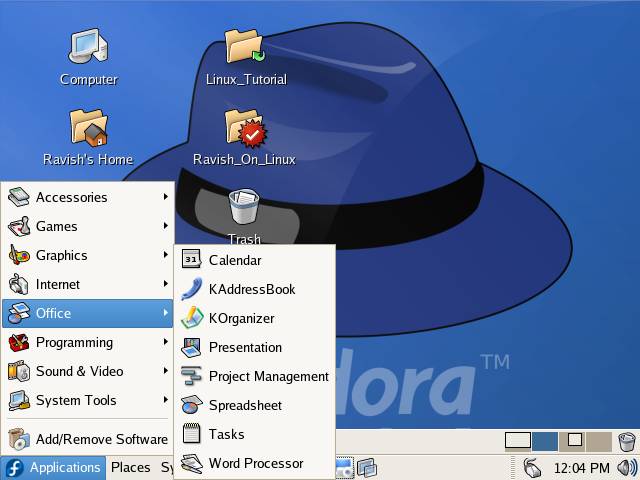
| * Click on Applications menu and select Office from the menu |
| |
|
| |
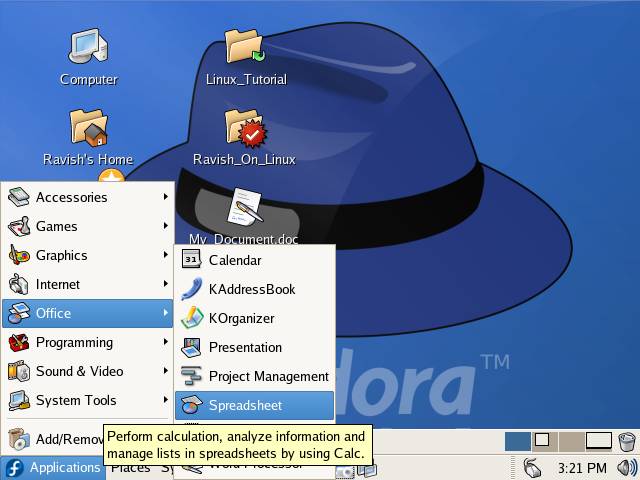
| * From the Office sub menu select Spreadsheet to start it |
| |
|
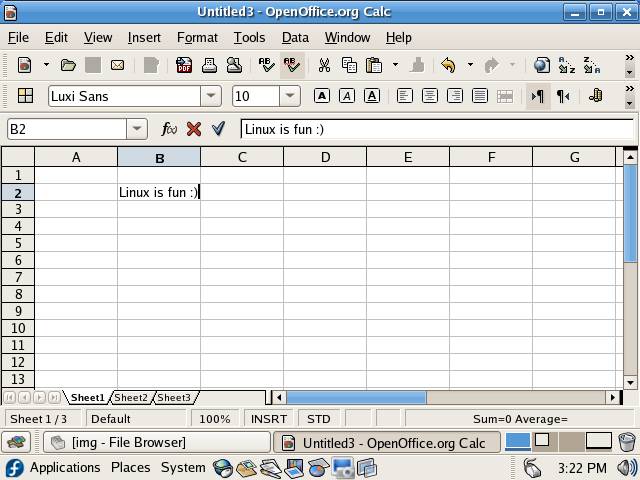
| OpenOffice.org Calc user interface is similar to MS Excel |
| |
|
| |
| You can do everything(almost) with Calc that you can do with Excel. |
| |
| Starting Presentation application |
| |
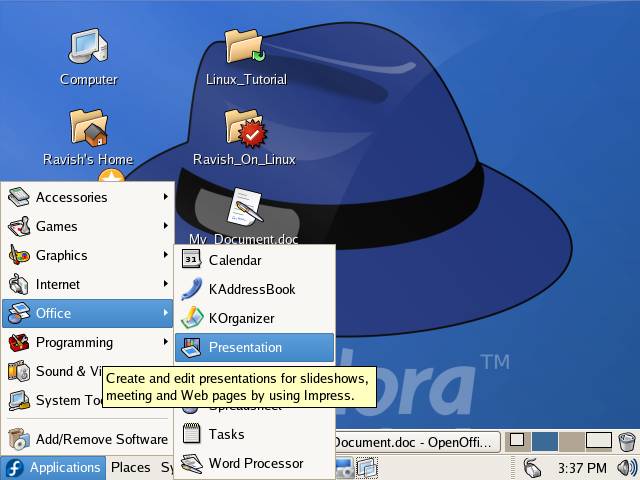
| Follow these steps to start OpenOffice.org Impress : |
| |
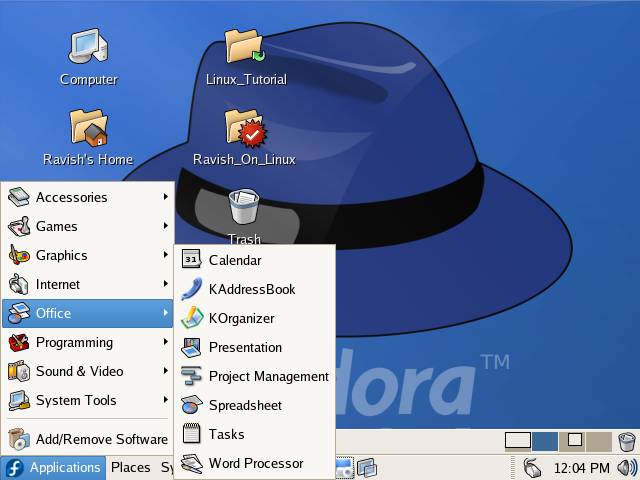
| * Click on Applications menu and select Office from the menu |
| |
|
| |
| Select Presentation from the Office sub menu |
| |
|
| |
|
| |
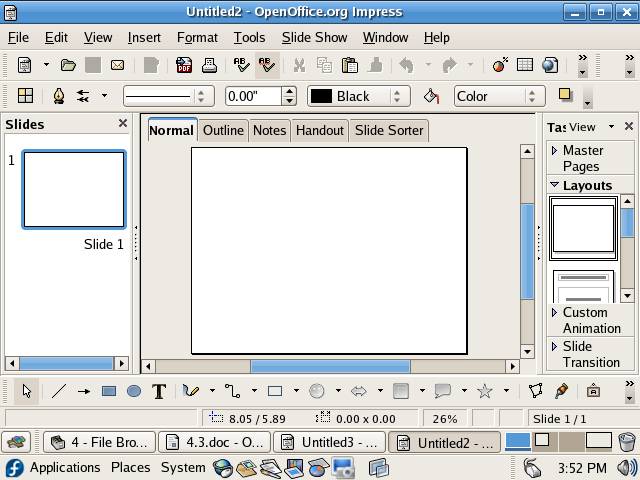
| this is OpenOffice.org Impress used to create multimedia enable presentation. |
| |
| |
| |
| |
| |


