| Linux Office Applications (openoffice.org) |
| |
| Creating PDF |
| |
| One of the most exciting feature of OpenOffice.org is its PDF creation capability. You can export your Writer, Calc and Impress document as PDF directly from within the application, you don't need any external application to do that. Excited! So lets create a PDF from a Writer Document. |
| |
|
Steps to create a PDF: |
| |
| * Open the file that you want to convert to PDF (this should be a Writer, Calc or Impress file) |
| |
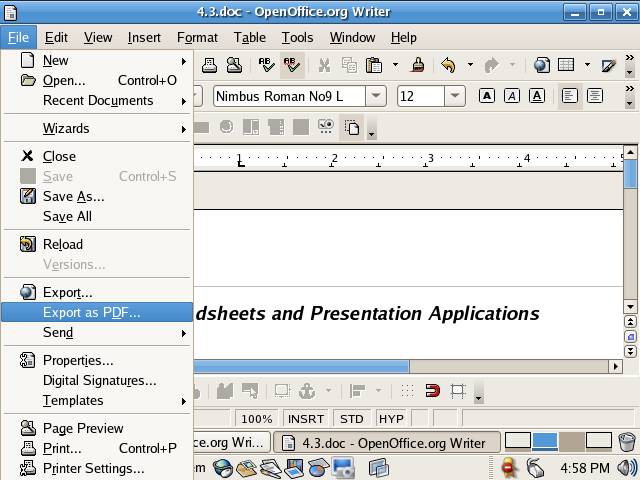
| * Click on File menu and from the File sub menu select Export as PDF option. |
| |
|
| |
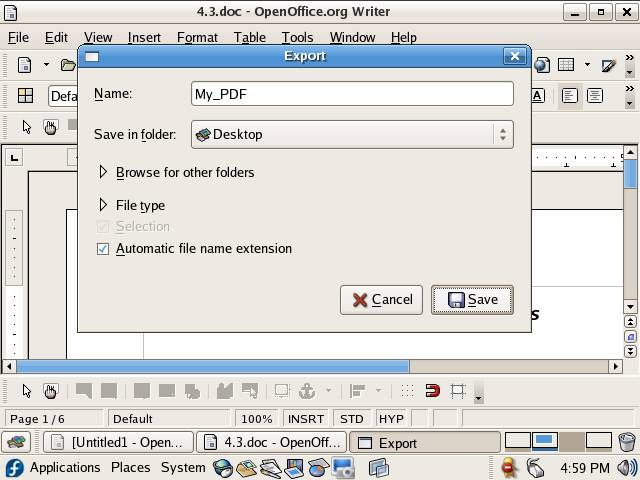
| *From the Export dialog box type the name of pdf file in Name field and select the location where you want to save the PDF file and click on Save button |
| |
|
| |
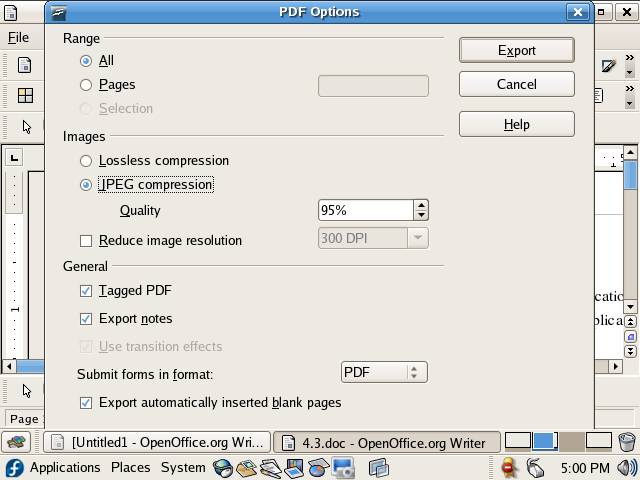
| * Configure the PDF options using PDF Options dialog box and when done click on Export button to create the PDF file |
| |
|
| |
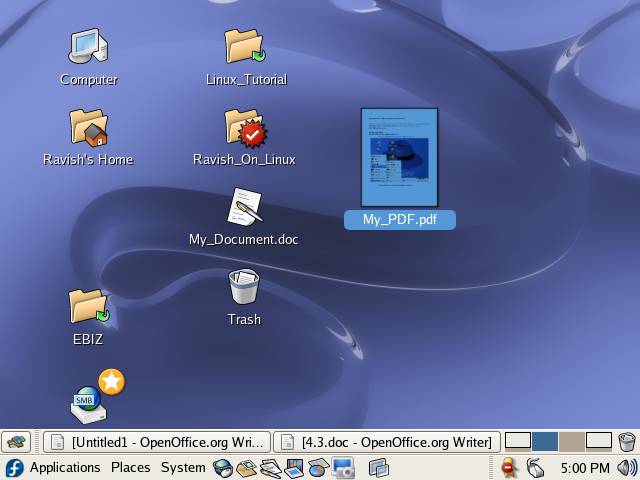
| * Your document has been exported to PDF successfully. |
| |
|
| |
| Note: Procedure of creating a PDF from Impress and Calc is similar to Writer hence omitted. |
| |
| |
| |
| |
| |


