| Drawing in Indesign |
| |
| Alignment of Objects |
| |
| You use the Align panel to align or distribute objects horizontally or vertically along the selection, margins, page, or spread. |
| |
| To display Align Panel Go to Window > Object & Layout > Align. |
| |
| Align Panel Overview |
| |
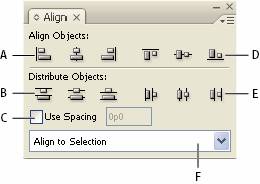 |
| Align panel
A. Vertical alignment buttons B. Vertical distribution buttons C. Use Spacing distribution
D. Horizontal alignment buttons E. Horizontal distribution buttons
F. Alignment location options |
| |
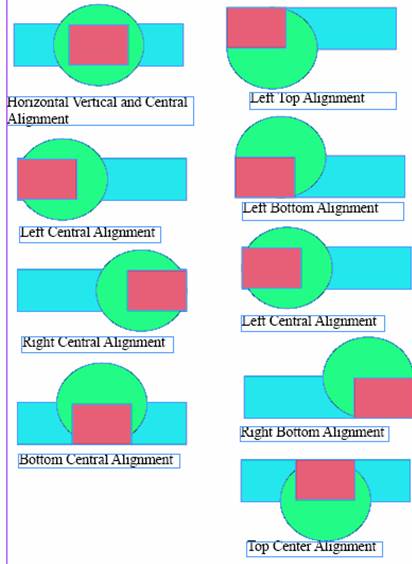
| To Align objects. |
| |
• Select objects to align
• Click on button for the type of alignment you want. |
| |
 |
| |
|
| |


