| Working with Layout |
| |
| Working with Layers |
| |
| Layers |
| |
| Every document has at least one layer. Layers are used where you have to create and edit specific objects or text a document without effecting other objects of document.. The other use of layers is to display alternate design ideas for the same layout |
| |
| To show Layers: |
| |
| Click Windows> Layers (Check whether Layer is check or not.) |
| |
| How to Create Layers? |
| |
For creating layers:
Click on New Layer button at the bottom of Layer docker window. |
| |
| How to Delete Layers? |
| |
For deleting layers:
Click on Delete Layer button at the bottom of Layer docker window. |
| |
| Adding objects to Layers |
| |
You can add objects to the target layer by:
• Creating new objects.
• Importing, placing, or pasting objects.
• Selecting objects on other layers, and then moving them to the new layer. |
| |
| To select object on layer: |
| |
| • Hold down Alt (Windows) and click a layer in the Layers panel. |
| |
| To copy object of one layer to other layer: |
| |
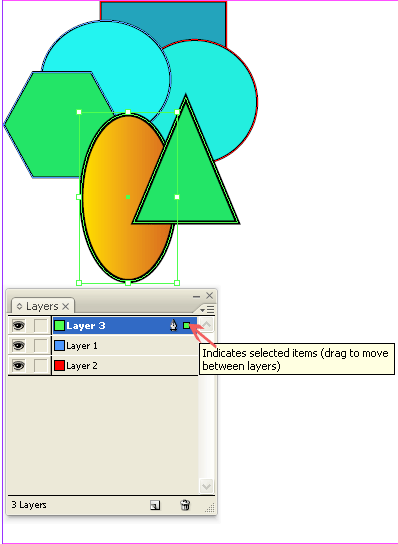
• Click on the Selection tool to select one or more objects.
• In the Layers panel, drag the colored dot on the right side of the layer list to move the selected objects the other layer. |
| |
 |
| |
|
| |


