| Tools of Indesign |
| |
| Transformation Tools |
| |
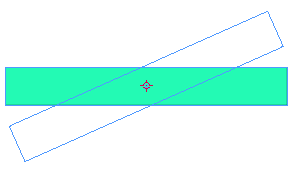
Rotate Tool: Rotate tool lets you rotate objects around a fixed point. Rotate tool lets you rotate objects around a fixed point. |
| For rotating any object click on rotate tool and just drag in the desired direction. |
| |
| This is explained as below: |
| |
| • Draw a rectangle. |
| |
 |
| |
• Click on Rotate Tool.
• Click on rectangle and move it in any direction. |
| |
 |
| |
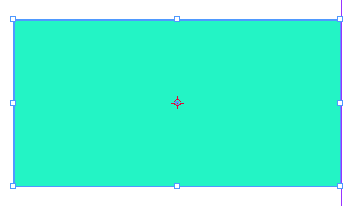
Scale Tool: Scale tool lets you resize objects around a fixed point. Scale tool lets you resize objects around a fixed point. |
| |
| To increase or decrease the size of object, select scale tool and drag on object gently. |
| |
 |
| |
 |
| |
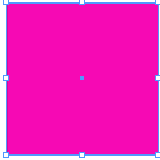
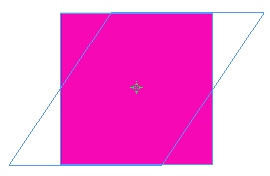
Shear Tool: Shear tool lets you skew objects around a fixed point. Shear tool lets you skew objects around a fixed point. |
| |
| • Create any object. |
| |
 |
| |
• Click on object with shear tool.
• Drag in direction where you what the object to skew. |
| |
 |
| |
Free Transform Tool(E):  lets you scale, rotate and skew objects around a fixed point. lets you scale, rotate and skew objects around a fixed point. |
| |
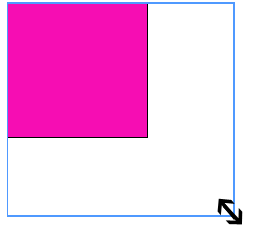
| • To increase the size of an object just select free transform tool and start dragging from corner of object. |
| |
 |
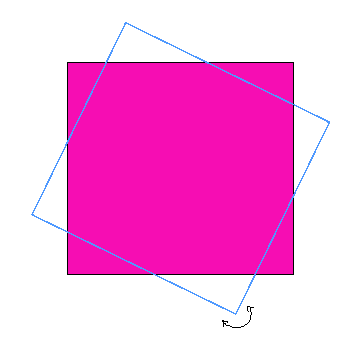
• To rotate object select free transform tool.
• With rotation handles that appear outside the object rotate the object. |
 |
| |
|
| |


