| Illustrator Tools |
| |
| Symbolism Tools |
| |
 |
| |
| The symbolism tools let you create and modify sets of symbol instances. You create a symbol set using the Symbol Sprayer tool. You can then use the other symbolism tools to change the density, color, location, size, rotation, transparency, and style of the instances in the set. |
| |
| Symbol Sprayer Tool |
 |
|
| |
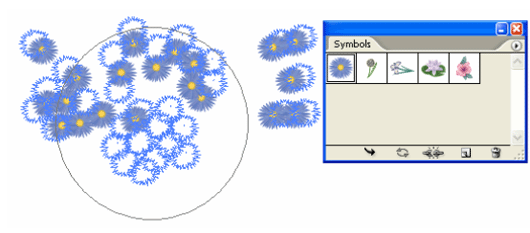
| The Symbol Sprayer tool (Shift+S) places multiple symbol instances as a set on the artboard. Click on Symbol Sprayer tool and drag on the drawing page. |
| |
 |
| |
| Figure showing function of symbol sprayer tool. |
| |
| Symbol Shifter tool |
 |
|
| |
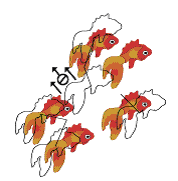
| The Symbol Shifter tool moves symbol instances |
| |
 |
| |
| Symbol Scruncher tool |
 |
|
| |
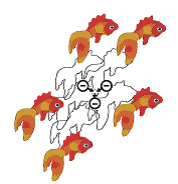
| The Symbol Scruncher tool moves symbol instances closer together or farther apart. |
| |
 |
| |
| Symbol Scruncher tool |
 |
|
| |
| The Symbol Sizer tool resizes symbol instances. |
| |
 |
| |
| Symbol Spinner tool |
 |
|
| |
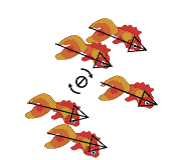
| The Symbol Spinner tool rotates symbol instances. |
| |
 |
| |
| Symbol Stainer tool |
 |
|
| |
| The Symbol Stainer tool colorizes symbol instances. |
| |
 |
| |
|
| |


