| Illustrator Tools |
| |
| Graph Tools |
 |
|
| |
| Illustrator provides graph tools, each one for creating a different type of graph. The type of graph you choose depends on the information you want to communicate. |
| |
| You can create nine different types of graphs using Adobe Illustrator's Graph tool. |
| |
| Step One |
| |
| Open or create a new file from the File menu. |
| |
| Step Two |
| |
| Choose Show Tools from the Windows menu. |
| |
| Step Three |
| |
| Double-click on the Graph tool to obtain a popup window with graph options. |
| |
| Step Four |
| |
| Select the options for the graph that you want. You can create bars, stacked bars, columns, stacked columns, pies, radars, scatters, lines or area graphs. Click OK. |
| |
| Step Five |
| |
| Click on the Graph tool. |
| |
| Step Six |
| |
| Click and drag diagonally in the active window to create a graph that is the size you want to use. A window appears. |
| |
| Step Seven |
| |
| Enter or import the graph data. |
| |
| Step Eight |
| |
| Save your file. |
| |
 |
| |
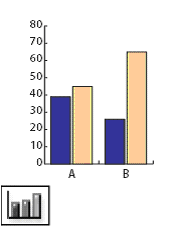
| The Column Graph tool (J) creates graphs that compare values using vertical columns. |
| |
| |
|
| |


