| Illustrator Tools |
| |
| Type Tools |
| |
| Text Tool Options |
 |
|
| |
| These tools allow you to create text in a number of ways; 'Text,' 'Area Type,' 'Path Type,' 'Vertical Type,' 'Vertical Area Type,' 'Vertical Path Type.' |
| |
| Text Tool |
 |
|
| |
| This is the default type tool. Simply click anywhere in your document and start typing. The text can be edited through the 'Type' menu. |
| |
| Area Type Tool |
 |
|
| |
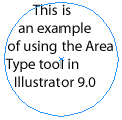
| Using this tool you can enter type inside a path shape like a rectangle, circle or any other odd shape. Simply place the text tool on the shape and start typing. |
| |
 |
| |
| Path Type Tool |
 |
|
| |
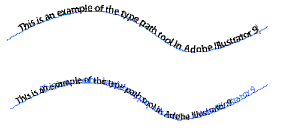
| Adding type to any path like a curve is easy using this tool. Simply place the tool on the path and start typing. Once the type is on the path, it can be shifted around by using the 'Selection' tool to drag the I-beam forward or back. |
| |
 |
| |
| Vertical Type Tool |
 |
|
| |
| The vertical type tool allows you to create type that runs vertically on your document. This text can be edited just like any other text in Illustrator. |
| |
 |
| |
| Vertical Area Type Tool |
 |
|
| |
| Like the Area Type Tool this tool allows you to enter text vertically in any closed shape. |
| |
| Vertical Path Tool |
 |
|
| |
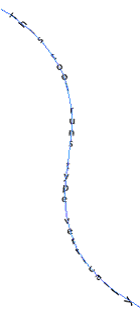
| This tool runs type vertically along a path. Once the type is on the path, it can be shifted around by using the 'Selection' tool to drag the I-beam forward or back. |
| |
 |
| |
|
| |


