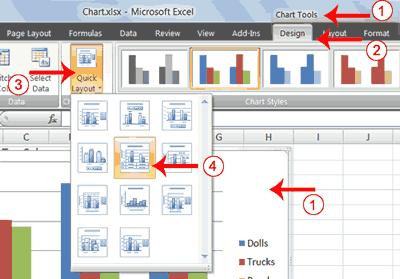
1.	Click your chart. The Chart Tools become available.
2.	Choose the Design tab.
3.	Click the Quick Layout button in the Chart Layout group. A list of chart layouts appears.
4.	Click Layout 5. Excel applies the layout to your chart.
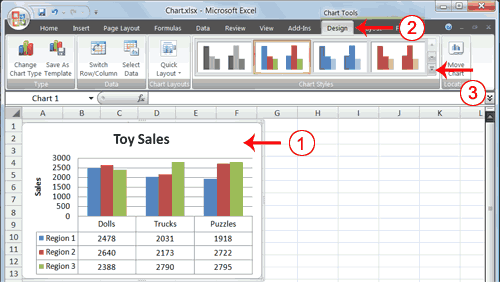
2. Choose the Design tab.
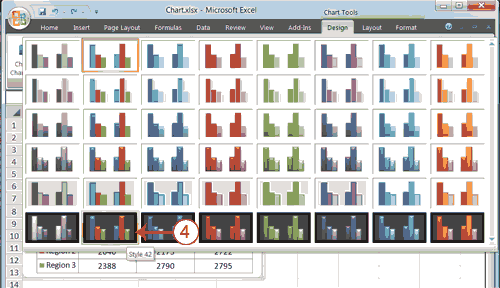
3. Click the More button in the Chart Styles group. The chart styles appear.
 |
 |
 |