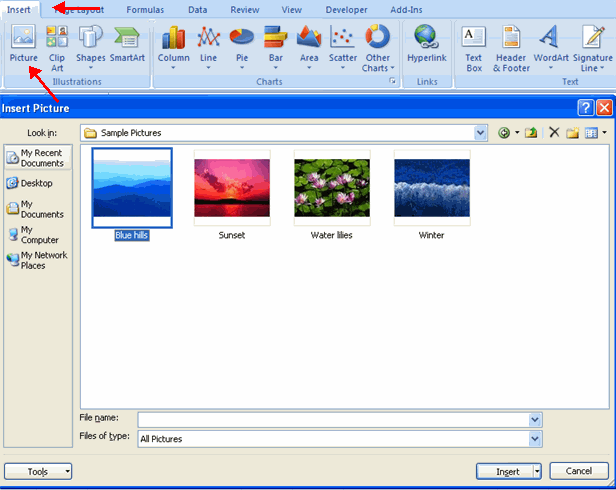
.	Click the Insert tab
.	Click the Picture button
.	Browse to the picture from your files
.	Click the name of the picture
.	Click Insert
.	To move the graphic, click it and drag it to where you want it
 |
 |
 |
| How to use Graphics in excel 2007 | |||
| Insert Image from File | |||
| To add a picture: | |||
. Click the Insert tab . Click the Picture button . Browse to the picture from your files . Click the name of the picture . Click Insert . To move the graphic, click it and drag it to where you want it |
|||
|
|||
| For Animated Presentaiton Click Here! | |||
|
|||