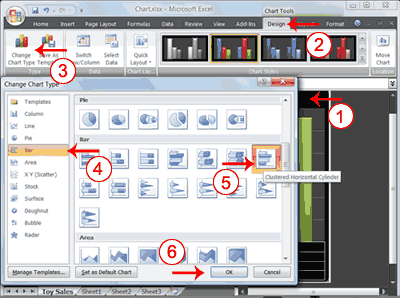
1.	Click your chart. The Chart Tools become available.
2.	Choose the Design tab.
3.	Click Change Chart Type in the Type group. The Chart Type dialog box appears.
4.	Click Bar.
5.	Click Clustered Horizontal Cylinder.
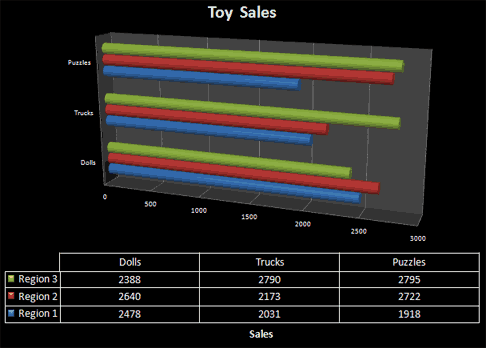
6.	Click OK. Excel changes your chart type.
 |
 |
 |