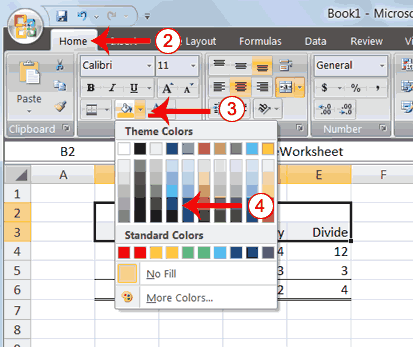
3. Click the down arrow next to the Fill Color button .
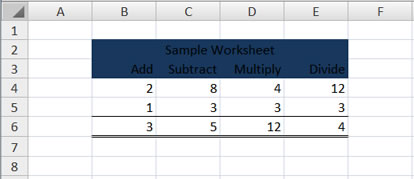
4. Click the color dark blue. Excel places a dark blue background in the cells you selected.
 |
 |
 |
| Formatting Data in Excel-2007 | |||
| Add Background Color | |||
| To make a section of your worksheet stand out, you can add background color to a cell or group of cells. | |||
|
|||
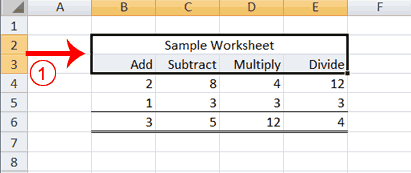
| 1. Select cells B2 to E3. | |||
|
|||
| 2. Choose the Home tab. 3. Click the down arrow next to the Fill Color button . 4. Click the color dark blue. Excel places a dark blue background in the cells you selected. |
|||
|
|||
| For Animated Presentaiton Click Here! | |||
|
|||