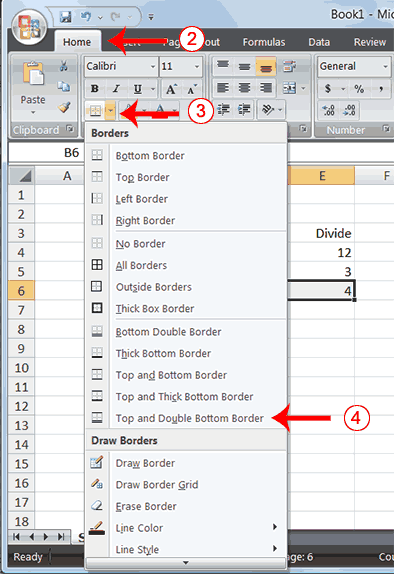
3. Click the down arrow next to the Borders button . A menu appears.
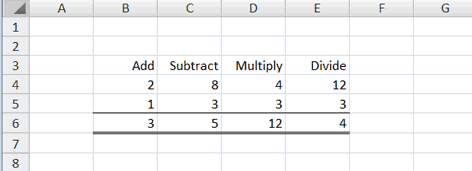
4. Click Top and Double Bottom Border. Excel adds the border you chose to the selected cells.
 |
 |
 |
| Formatting Data in Excel-2007 | |||
| Create Borders | |||
|
|||
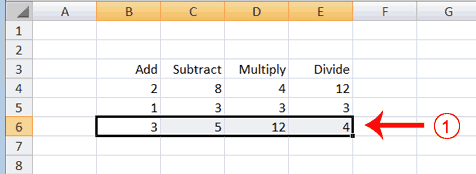
| 1. Select cells B6 to E6. | |||
|
|||
| 2. Choose the Home tab. 3. Click the down arrow next to the Borders button . A menu appears. 4. Click Top and Double Bottom Border. Excel adds the border you chose to the selected cells. |
|||
|
|||
| For Animated Presentaiton Click Here! | |||
|
|||