| Working with Bitmaps |
| |
| Blur Strokes |
| |
| There are nine Blur effects. These effects let you alter the pixels in bitmaps to soften, smooth, blend, or create motion effects. The Blur effects are: Directional Smooth; Gaussion Blur; Jaggy Despeckle; Low Pass; Motion Blur; Radial Blur; Smooth; Soften; and Zoom. |
| |
| For any Blur effect on bitmap |
| |
| . Go to Bitmap>Blur |
| |
| . Select from the drop-down list. |
| |
| For Gaussian Blur Effect on bitmap |
| |
| . Select bitmap image. |
| |
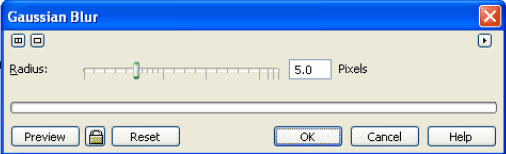
| . Go to Bitmap>Blur> Gaussian Blur. |
| |
| . A dialog box will appear on the screen. |
| |
 |
| |
| . For more Gaussian Blur increase radius. |
| |
| . Click Ok. |
| |
| . After Charcoal effect bitmap image would something like this: |
| |
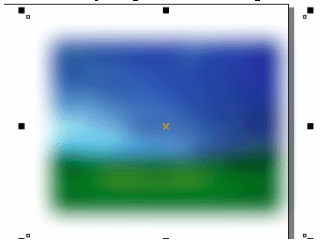
| . After Gaussian Blur Effect image would something like this: |
| |
 |
| |
| Radial Blur |
| |
| . Select bitmap image. |
| |
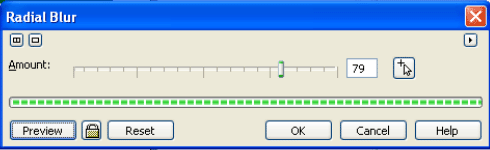
| . Go to Bitmap>Blur> Radial Blur. |
| |
| . A dialog box will appear on the screen. |
| |
 |
| |
| . For more Radial Blur increase Amount. |
| |
| . Click Ok. |
| |
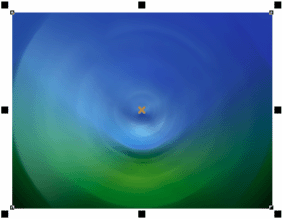
| . After Radial Blur effect bitmap image would something like this: |
| |
 |
| |
| |
|
| |


