| Working with Bitmaps |
| |
| Disort Effects |
| |
| For creating any disort effect on bitmap you can use disort filter effect of bitmap.
There are ten Distort effects that transform the appearance of an image without adding depth. The Distort effects are: Blocks; Displace; Offset; Pixelate; Ripple; Swirl; Tile; Wet Paint; Whirlpool; and Wind. |
| |
| For any Disort Stroke on bitmap |
| |
| . Go to Bitmap>Disort Effects. |
| |
| . Select from the drop-down list. |
| |
| For Swirl effect on your bitmap image |
| |
| . Select bitmap image. |
| |
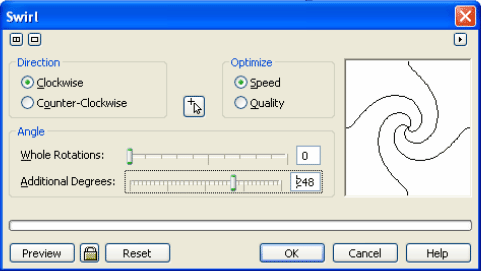
| . Go to Bitmap>Disort> Swirl. |
| |
| . A dialog box will appear on the screen. |
| |
 |
| |
| . Adjust any of the attributes on the Swirl dialog box. |
| |
| . Click Ok. |
| |
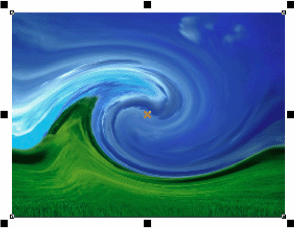
| . After Swirl effect bitmap image would look something like this: |
| |
 |
| |
| For Wet Pain effect on your bitmap image |
| |
| . Select bitmap image. |
| |
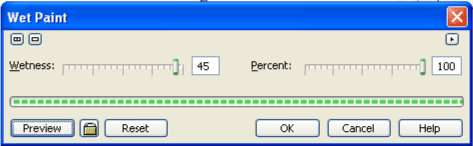
| . Go to Bitmap>Disort> Wet Paint. |
| |
| . A dialog box will appear on the screen. |
| |
 |
| |
| . Adjust any of the attributes on the Wet Paint dialog box. |
| |
| . Click Ok. |
| |
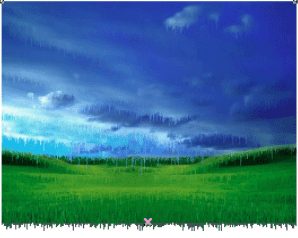
| . After Wet Paint effect bitmap image would something like this: |
| |
 |
| |
|
| |

