| Tips and Tricks in CorelDraw |
| |
| Drawing of vector image |
| |
| Drawing the Eye Shape |
| |
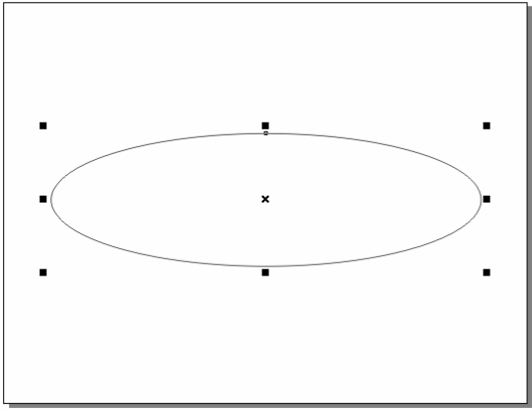
| To draw Eye click on ellipse tool and draw a horizontal ellipse. |
| |
 |
| |
| Figure showing horizontal ellipse |
| |
| . Choose Arrange, Convert to Curves (CTRL + Q). Optionally, click the Convert to Curves icon on the Property Bar. |
| |
| . Doing so will convert the ellipse into a curve and enable you to select and edit the nodes. |
| |
| . Click on Shape tool. |
| |
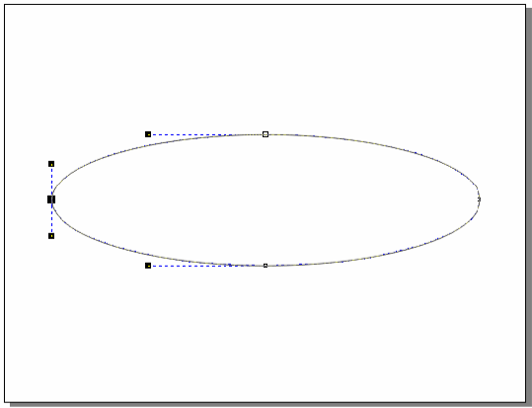
| . Select left node point of object, you will notice handles as shown in figure below. |
| |
 |
| |
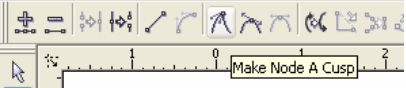
| . Click on "make a node cusp" on the property bar to make node cusp as shown in figure below. |
| |
 |
| |
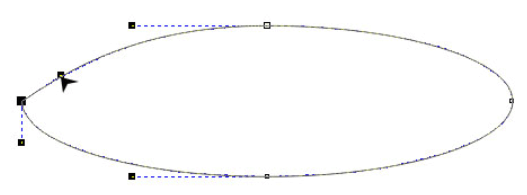
| . Select the top handle of the node of object and drag it downwards as shown in figure below. |
| |
 |
| |
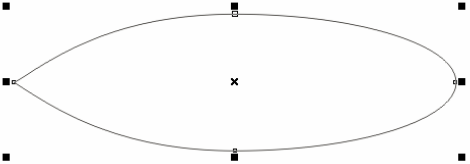
| . Select the bottom handle of the left node and drag it upward direction as shown in figure. Your drawing would look like this: |
| |
 |
| |
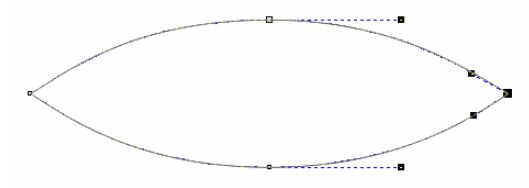
| . Now repeat these actions on the right node point of the object. |
| |
| . After repeating these actions your object would look like as shown in figure below: |
| |
 |
| |
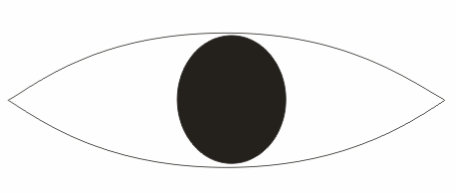
| . Now, draw select ellipse tool and draw a circle. |
| |
| . Fill it with black color. |
| |
| . Place circle inside the object. Your drawing would look like this as shown below: |
| |
 |
| |
|
| |


