 |
 |
 |
| Working with various Objects & Shapes | |||
| Intersection command | |||
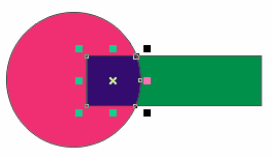
| Intersect command creates an area where two objects overlap. The shape of this object depends on the objects you intersect. | |||
| Here is an example of intersect command. | |||
| • Draw a circle | |||
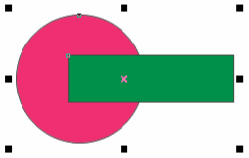
| • Draw a rectangle overlapping the circle as shown below: | |||
|
|||
| • Select both rectangle and circle | |||
| • Go to Arrange>Shaping>Intersect | |||
| • A new object will be created as shown under: | |||
|
|||
|
|||