| Basics of CorelDRAW |
| |
| Working with Shape Tool |
| |
| Shape Tool: is for editing the shape of objects. Shape tool is for making rounded shapes of objects like rectangle, square etc. Shape tool also creates various shapes to objects by curves. |
| |
| Drawing of rounded rectangle. |
| |
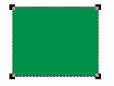
| • Draw a rectangle. |
| |
 |
| |
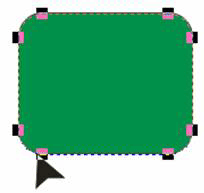
| • Choose the Shape Tool (F10) from the Toolbox and round the corners interactively. |
| |
| • For making the corners of a rectangle more or less round, click and drag any node as shown below: |
 |
| Editing of rectangle or any other object in different way |
| |
| • Draw Rectangle |
| |
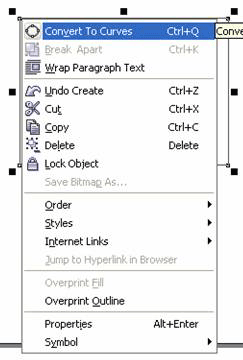
| • Right-click on rectangle and click on convert to curve. |
 |
| |
| • Select Shape Tool (F10). |
| |
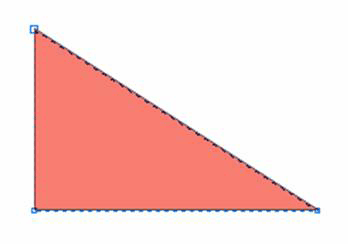
| • Drag any side of the rectangle as shown below: |
| |
 |
| |
| Converting Rectangle into triangle |
| |
| • Draw rectangle and fill it with any color. |
| |
|
| |
| • Select Shape tool from the tool box. |
| |
| • Right-Click on mouse and choose convert to curve. |
| |
| • Double click on any side of rectangle. |
| |
| • You will notice a 90 degree triangle is created. |
|
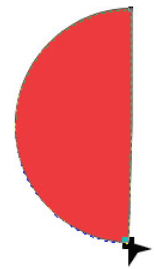
| Creation of semi circle by shape tool: |
| |
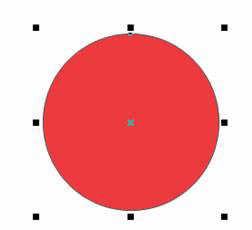
| • Click on Ellipse tool. |
| |
| • Press Ctrl key and drag to create a circle. |
| |
| • Fill it with any color. |
| |
 |
| |
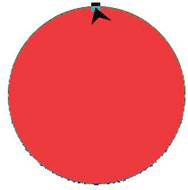
| • Pick Shape Tool. |
| |
| • Click on any node point of circle. |
| |
 |
| |
| • Drag slightly with shape from inside circle unless it is converted into semi-circle. |
| |
 |
| |
|
| |


