| Basics of CorelDRAW |
| |
| Creating Basic Shapes |
| |
| There are many tools which are available in CorelDRAW for drawing various shapes. These are Rectangle Tool, Ellipse Tool, Polygon Tool, Spiral Tool and Graph Paper Tool. |
| |
| To draw rectangle |
| |
| . Click on Rectangle Tool or press F6 |
| |
| . Drag with mouse on the drawing page. |
| |
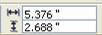
| . Specify width and height dimension from the property bar . |
 |
|
| |
| . Press Enter |
| |
 |
| |
| To draw square |
| |
| . Click on Rectangle Tool or press F6 |
| |
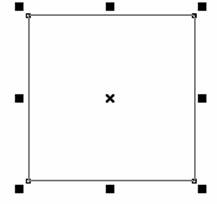
| . Press Ctrl and drag with mouse on the drawing page. |
| |
| . Specify width and height dimension from the property bar. |
|
|
| |
| . Press Enter |
| |
 |
| |
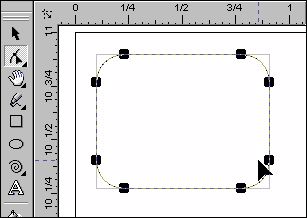
| To draw four side rounded rectangle |
| |
| . Draw a rectangle. |
| |
| . Choose the Shape Tool. |
| |
| . Click and drag on any corner handle to shape the corners. |
| |
| . Release mouse when you achieve the desired corner roundness. |
| |
 |
| |
| To create rounded rectangle from rectangle tool property |
| |
| . Draw a rectangle. |
| |
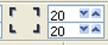
| . Type the value of roundness in property bar above application window. |
| |
 |
| |
| . Click Enter |
| |
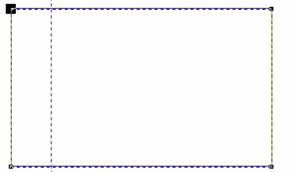
| To draw one side rounded rectangle |
| |
| . Draw a rectangle. |
| |
| . Choose the Shape Tool. |
| |
| . Click on any corner of rectangle and release. |
| |
| . Drag on that corner. |
| |
| . Release mouse when you achieve the desired corner roundness. |
| |
 |
| |
| Ist stage |
| |
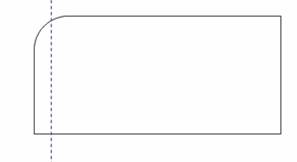 |
| IInd stage |
| To draw circle |
| |
| . Choose Ellipse Tool. |
 |
|
| |
| . Click and drag with the CTRL key pressed down to constrain the ellipse to a circle. |
| |
| . Use both the CTRL key and the SHIFT key together to create a circle drawn from the center. |
| |
| To draw ellipse |
| |
| . Choose Ellipse Tool. |
|
|
| |
| . Click and drag to create ellipse of the shape and size you desire. |
| |
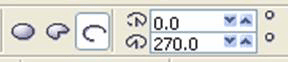
| To draw Arc shape -Circle |
| |
| • Choose Ellipse Tool. |
|
|
| |
| . Choose arc shaped circle from the property bar |
| |
| . Drag on the drawing page to create semi-circle. |
| |
 |
| |
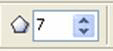
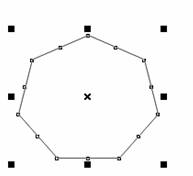
| To draw 7-sided polygon |
| |
| . Click on Polygon Tool or press Y |
| |
| . Specify 7 points in the the property bar above |
 |
|
| |
| . Drag the mouse on the drawing page. |
| |
 |
| |
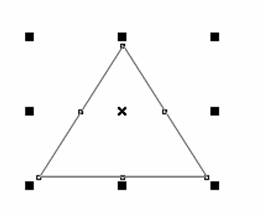
| To draw triangle |
| |
| . Click on Polygon Tool or press Y |
| |
| . Specify 3 points in the the property bar above and drag on the drawing page. |
| |
 |
| |
| . Drag the mouse on the drawing page. |
| |
 |
| |
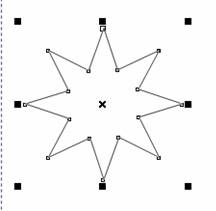
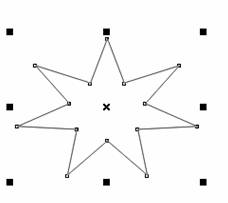
| To draw star-shaped polygon |
| |
| . Click on Polygon Tool or press Y |
| |
| . Specify 7 points in the the property bar above |
| |
| . Choose Shape Tool |
| |
| . Click on any node point of polygon and drag. |
| |
 |
| |
| To draw star |
| |
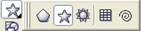
| . Open the Object flyout. |
 |
|
| |
| . Click the Star tool. |
| |
| . Type the number of sides or points in the property bar above. |
| |
| . Drag in the drawing window until the star is the size you want. |
| |
 |
| |
|
| |


