| Getting Started with AutoCAD |
| |
| Polar Tracking |
| |
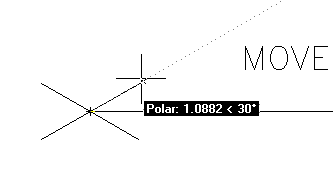
| In the example above, I made 4 lines 1 unit long using Direct Distance Entry (DDE). See if you can duplicate this on the end of the 10 unit line you just drew. The process is the same as you did for the DDE of the previous line. Make sure your increment angle is 30° and draw a line 4 units longs using DDE.. |
| |
 |
| |
| You can not have Ortho and Polar Tracking on at the same time. As you start to draw more, you will see that these two features are great time savers. There will be times, though, when you have to use absolute and relative co-ordinate entry (especially in 3D). |
| |
| Refer back to the assignment in Lesson 1-2 and draw using the methods shown in this lesson. |
| |
| Now I'm going to repeat this one last time: |
| |
| Make sure you have either Ortho or Polar tracking on and don't forget how to manually enter points! |
| |
|
| |


