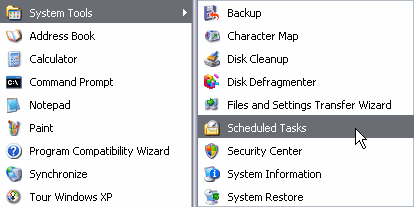
| To use this tool follow these steps: 1. Click on Start. 2. Display the menu All programs. 3. Select the menu Accessories. 4. Open the menu System Tools. 5. select the Scheduled Tasks option. |
 |
 |
 |
 |
| Shedule Task | |||
| Schedules Task | |||
|
|||
|
|||
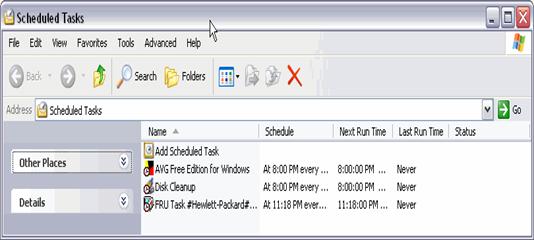
| When it is running, a window like the one below will appear. | |||
|
|||
| In this window, the tasks that have been scheduled until this time will appear, together with the assistant to schedule new tasks. | |||
|
|||