| Windows Media Player |
| |
| The CD Player |
| |
| To play a CD you use the option audio CD. With it you can listen to a CD as well as copy songs from a CD to the hard drive. |
| |
| Normally the multimedia player will start up automatically when we place a CD in the computer. |
| |
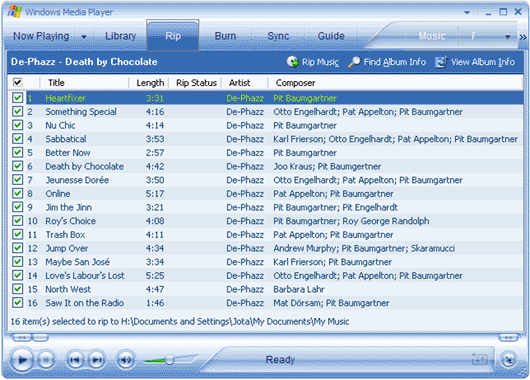
| The window you can find when listening to an audio CD is similar to the one shown below |
| |
 |
| |
| |
| This window will show you the song list that the CD contains and at the same time shows you the name of the song, the singer, and the length of the song. |
| |
| To play a song on the CD simply select it and click Play button. |
| |
| |
|
| |
| |


