| Mouse actions | Keyboard actions | |
| 1. | On the Start menu: • Point to All Programs. • Point to Accessories. • Point to Accessibility. • Select Magnifier. Note: A message box with a link to more information about Microsoft Magnifier may appear. To close the box, select OK. |
Display the Start menu by pressing CTRL+ESC (or the Windows Key ). • Press R. • Type magnify • Press ENTER. Notes: A message box with a link to more information about Microsoft Magnifier may appear. To close the box, press ENTER. |
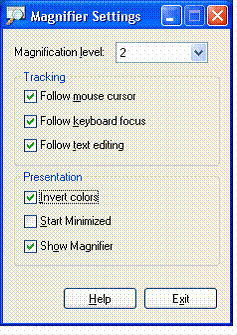
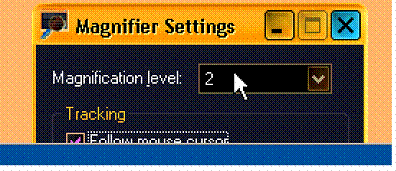
| 2. | In the Magnifier Settings dialog box, under Presentation: • Select the Invert Colors check box. Notes: To use Magnifier but hide the Magnifier Settings dialog box, select the Minimize button. To turn off Magnifier, in the Magnifier Settings dialog box, select the Exit button. |
In the Magnifier Settings dialog box, under Presentation: • Select the Invert Colors check box by pressing ALT+I. Notes: To use Magnifier but hide the Magnifier Settings dialog box, select Minimize by pressing Alt+SpaceBar, N. To turn off Magnifier, in the Magnifier Settings dialog box, press ALT+X. |
 |
 |
 |