 |
 |
 |
| System Tools | |||
| Restore System | |||
| This tool is in charge of restoring the Windows registry, which is the place where all the information about changes to the configuration is kept. | |||
| The system itself makes a copy of the registry every once in a while. So with this tool we can restore some of these copies or we can generate a new copy of the current registry when we are going to make important changes to the configuration of the system. This way we can easily go back and restore the system if the new configuration does not work properly. | |||
| To run this application select, from the Start menu, All programs, Accesories and System Tools and then choose System Restore. | |||
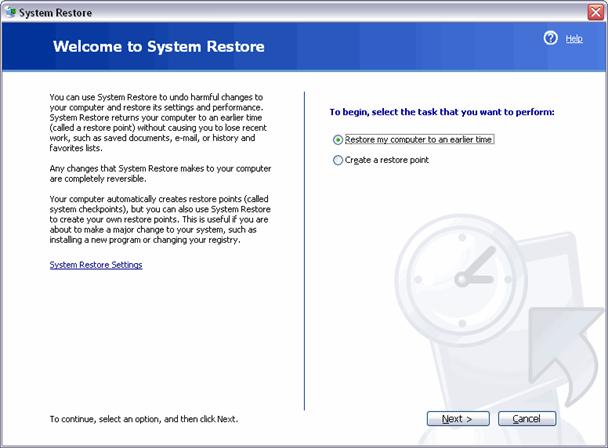
| Note: When you run this tool a screen like the one below will appear. This window gives you the possibility to either Restore my computer to an earlier time or Create a restore point. | |||
|
|||
|
|||