| Printer |
| |
| Printer Properties |
| |
| Through the printer properties we can control the orientation of the paper, the number of copies to be printed, etc. Next we will explain in detail all of the options. |
| |
This window can vary according to the type of printer that we have installed, but all of them have more or less the same appearance and options. |
| |
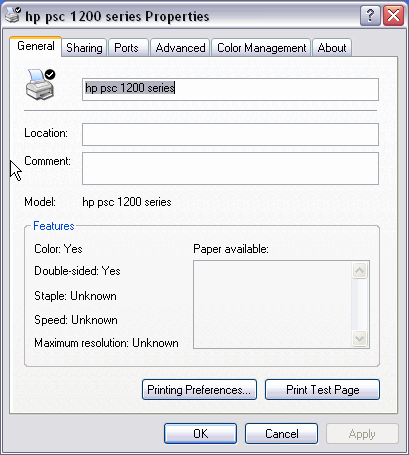
| In the General tab we have the following: |
| |
| In the Location and Comment section we can write a brief description of the printer. |
| |
| Next we can see the characteristics of the printer and on the bottom part we have two buttons. |
| |
| The Printing preferences... buttom shows some windows that will be shown next. |
| |
 |
| |
| The second option allows you to verify that the printer prints correctly; to do this, simply click Print test page. |
| |
| After this, another dialog box will appear asking if the test page has printed correctly; in the event the answer is no, help will appear to try and help you solve the problems. |
| |
| |
|
| |
| |


