| Adding/Removing Programs |
| |
| Adding Windows XP Components |
| |
| To adding Windows XP Components: |
| |
| • Click on the Start button and choose Control Panel. |
| |
| • Click on Add or Remove Programs option. |
| |
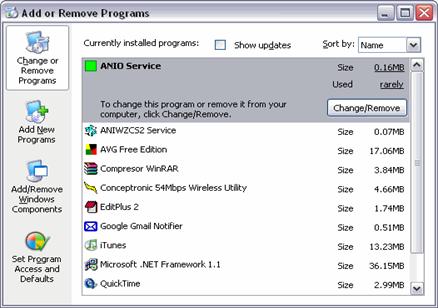
| A window will display with the three basic options shown on the left side of the picture as it appears below: |
 |
| |
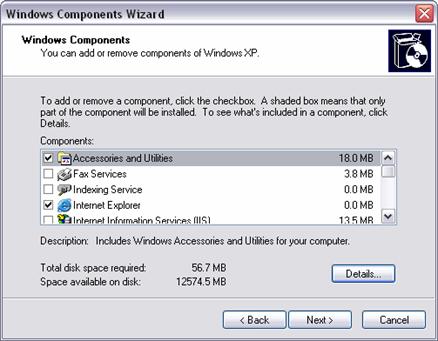
| • Then click on Add/Remove Windows Components located on the left side. |
| |
 |
| |
| You can see a list of the components available. From this list check the component you want to install or maintain. If you do not want to install all the options of a component, click Details and choose the ones you want. |
| |
| If any of the components appears with a shaded slot, this means that not all of the options of this component are selected, and consequently the complete component will not be installed. |
| |
 |
| |
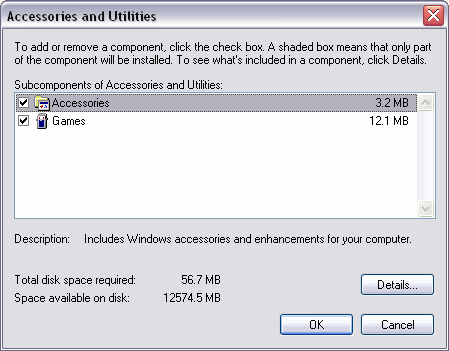
| This is an example of the window that will appear if you select the Accessories and utilities component and you click on Details..., and then you can select one accessory and see its details. |
| |
| |
|
| |
| |


