 |
 |
 |
| Use Mail Merge | |||
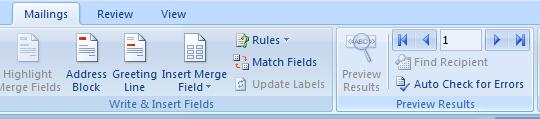
| Preview Results | |||
| It shows the Merged Data. You can see how your data looks like. | |||
| For preview of your Mail Merge result follow these steps: | |||
| 1. Click on Mailings tab on the Ribbon. | |||
| 2. Click on Preview Results on the Preview Results group. | |||
|
|||
| For Animated presentation Click here | |||
|
|||