• Paragraphs
• Lines
• Characters, either including or excluding the spaces
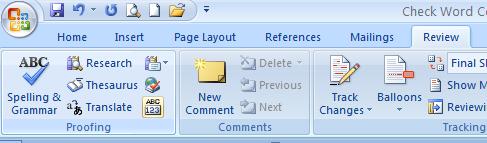
• Click the Word Count button on Proofing group.
• Click Close to exit the dialog box.
 |
 |
 |
| Review Your Word Document | |||
| Check Word Count | |||
| Microsoft word 2007 provide feature to check how many words are included in your Word 2007 document. | |||
| Office Word 2007 can also count the following: | |||
| • Pages • Paragraphs • Lines • Characters, either including or excluding the spaces |
|||
| For use Word count option follow these steps: | |||
| • Click on the Review tab on the Ribbon • Click the Word Count button on Proofing group. • Click Close to exit the dialog box. |
|||
|
|||
| Note: This option is also available in the status bar at the bottom of the window. | |||
| For Animated presentation Click here | |||
|
|||