| Decorate Your Document |
| |
| Changing Font Type & Font Size |
| |
| To change the font type follow the below steps: |
| |
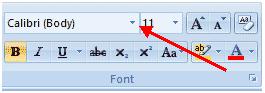
| 1. Click the arrow subsequently to the font name and select a font in the Font group of the Home tab. |
| |
 |
| |
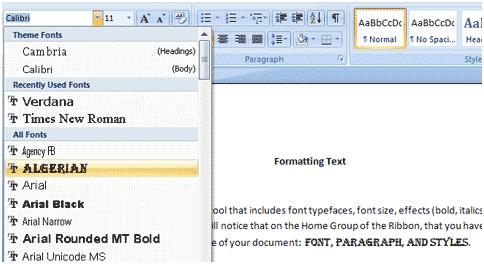
| 2. Remember that you can preview how the new font will look by highlighting the text, and hovering over the new font type. |
| |
 |
| |
| To change the font size follow the below steps: |
| |
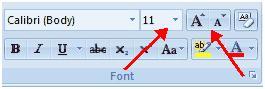
| 1. Click the arrow next to the font size and choose the appropriate size in the Font group of the Home tab. |
| |
| 2.Click the increase or decrease font size buttons. |
| |
 |
| |
| For Animated presentation Click here |
| |
| |
|
| |


