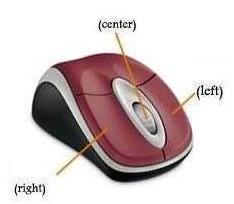
 When asked to click:
1. Point to the item.
2. Press your left mouse button once.
If you are asked to double-click an item:
1. Point to the item.
2. Quickly press your left mouse button twice.
If you are asked to right-click:
1. Point to the item.
2. Press your right mouse button.
 |
 |
 |