 |
 |
 |
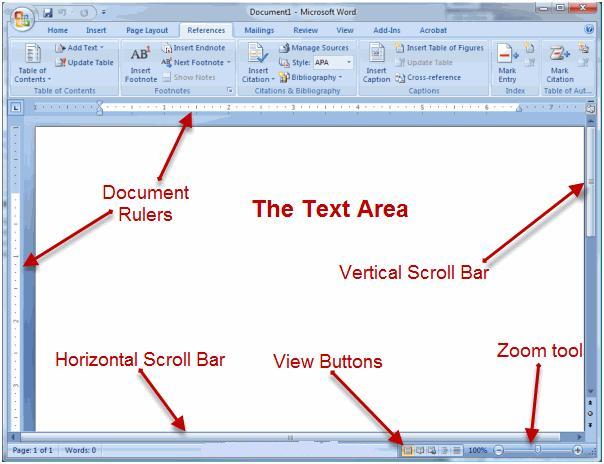
| Word-2007 Application Window | |||
| Horizontal & Vertical Scroll Bars | |||
| The scroll bars (Horizontal and Vertical) enable you to move up, down, and transversely your window Just by dragging the icon positioned on the scroll bar. | |||
| The horizontal scroll bar is positioned just over the status bar. | |||
| The vertical scroll bar is positioned along the right side of the screen. | |||
| To move back and forward across your document, click and drag the horizontal scroll bar back and forward. | |||
| You would not see a horizontal scroll bar if the width of your document fits on your screen. | |||
| To move up and down your document, click and drag the vertical scroll bar up and down. | |||
|
|||
|
|||